PCCABLES.COM Product Information Shopping Cart Secured Checkout Package Tracking www.pccables.com


PRODUCT SEARCH
Catalog
Contact Info
Account/LogIn
Shopping Cart
Secured Checkout
Package Tracking
Return Info
FAQ
Technical Info
Link to US!
--------
Connectors
Camera Cables
MP3 Cables
GPS Cables
Part No 00504
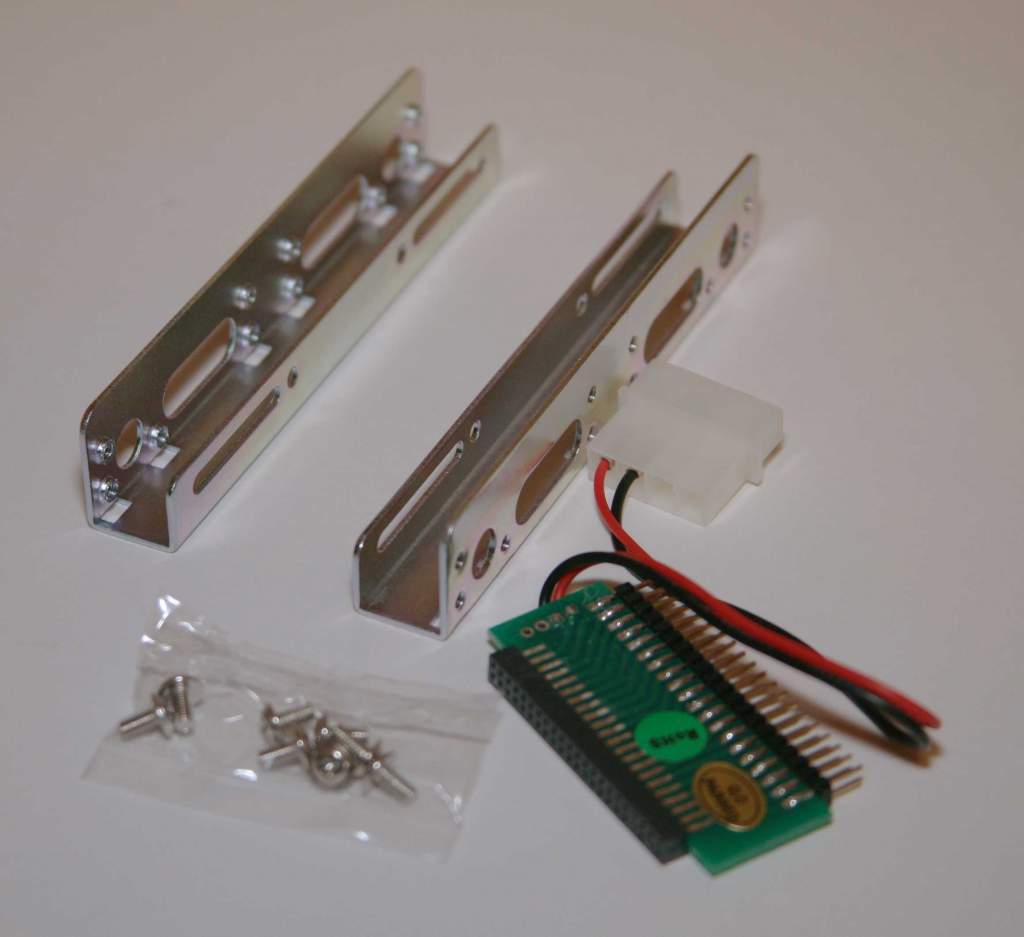
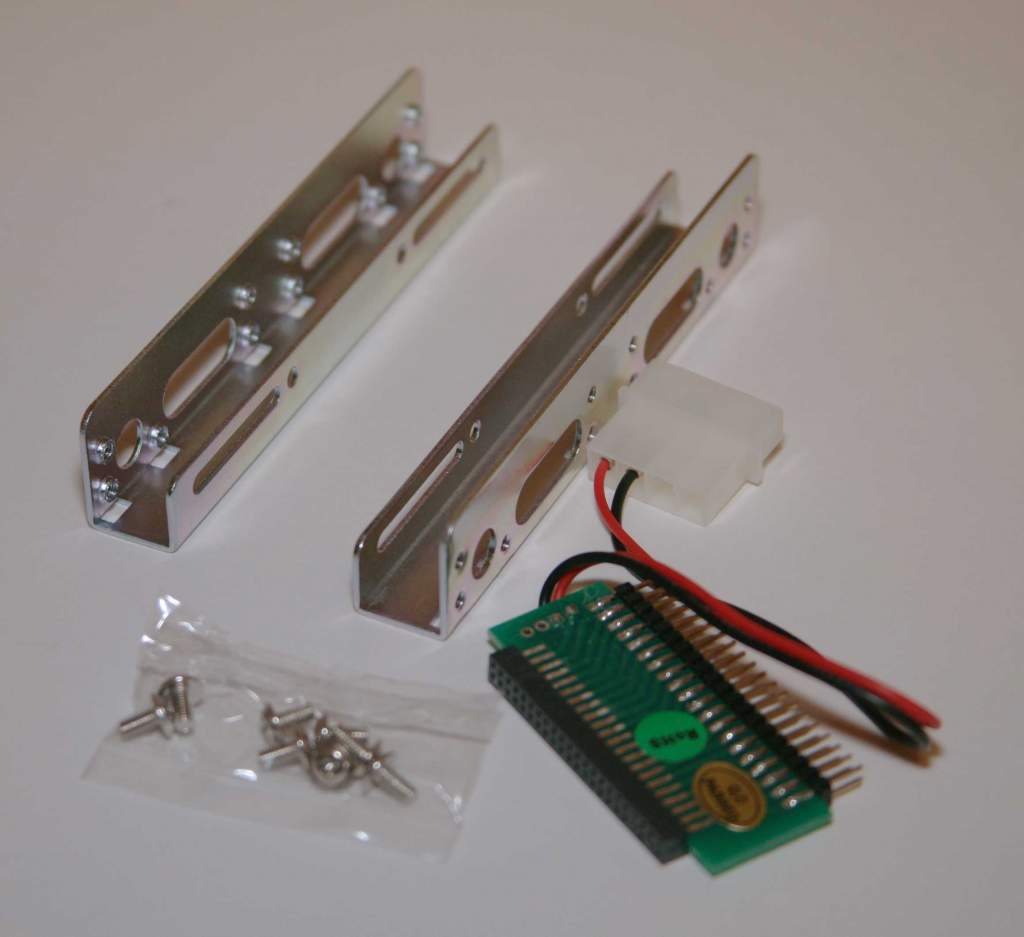
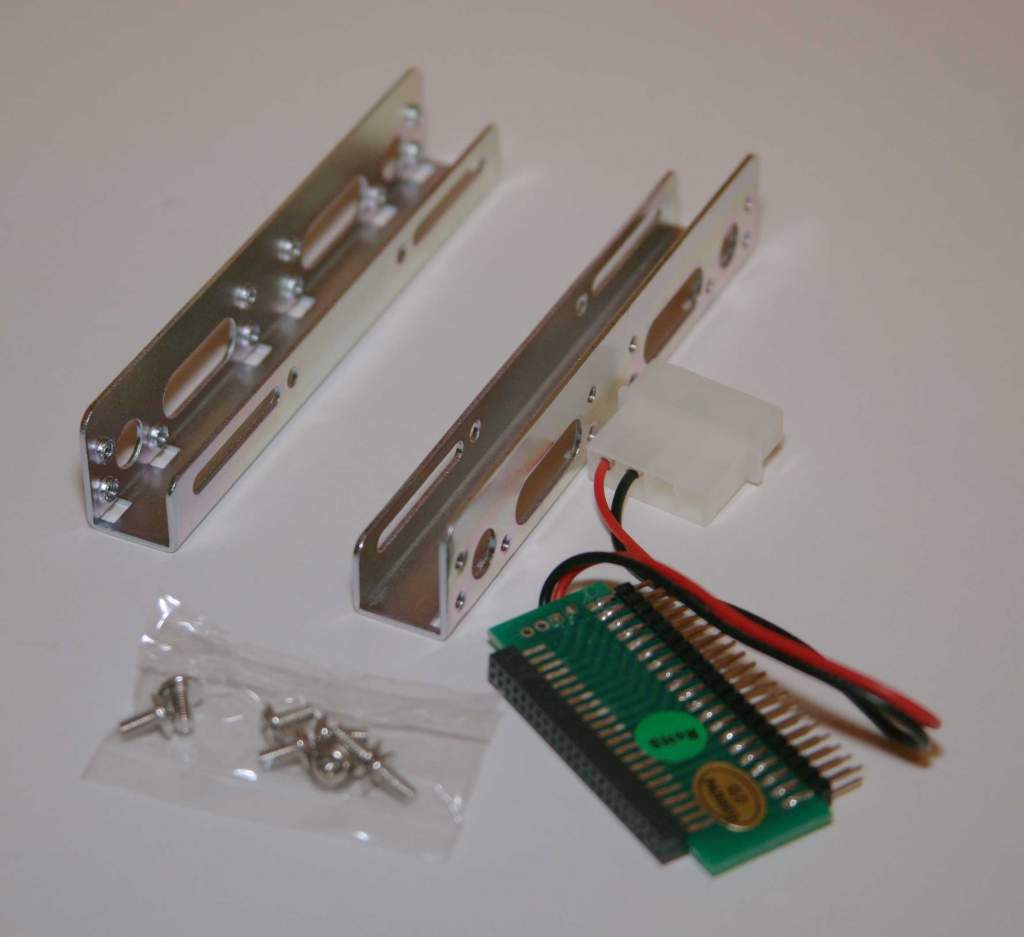
Description NOTEBOOK/LAPTOP HARD DRIVE CONVERTER 44-40 PIN IDE BRACKET KIT
Price 1 to 9 5.49
Price 10 to 99 5.25
Price 100 + 4.95
Availability 840 In Stock
Quantity
E-mail this link to a friend:
Social Bookmarking
Bookmark to: Digg Bookmark to: Del.icio.us Bookmark to: Facebook Bookmark to: StumbleUpon Bookmark to: Windows Live Bookmark to: Yahoo Bookmark to: Google


NOTEBOOK/LAPTOP HARD DRIVE CONVERTER 44-40 PIN IDE BRACKET KIT
Special adapter with power take off and Bracket.
This Kit is used to convert a 2.5" IDE hard drive 44 Pin used in many laptops to
a 3.5" hard drive with standard power and 40 pin IDE connections.

How do you install a 2.5 Hard Disk in a Regular Computer for Backup.
Step 0.
HANDLE HARDDRIVES DELICATELY.
Turn off all Power. Remove Batteries from Laptop. Unplug from Wall.
Step 1.
Carefully remove Hard Disk Drive from Broken or Problem Matic Laptop.
This can be difficult as some have hidden screws and Covers.
Look Under Stickers and rubber grommets and under keys.
Sometimes they just snap together.
Step 2.
Install Mounting Brackets (if you want) and Needed Jumpers (a Must)
Usually this means:
Set the jumpers on the 2.5 HD to Slave
and the 3.5 HD in you Backup Computer System to Master.
Unless you have a Cable Select IDE Cable and or System:
Then Set the Jumper for Cable Select and Install.
Step 3.
Install 2.5 to 3.5 IDE Converter and Power Cable to Drive.
Step 4.
Connect Second Connector on IDE Cable to 3.5 HD Adapter
Step 5.
Power Up system Using a Bios AutoDetect on the Drive.
If the system Finds the Drive, you are in Luck, otherwise; the drive might be bad, or you have the jumper(s) set wrong,
Or you Forgot to connect the Power Cable.
Step 6.
Save Bios information.
Step 7.
Repower Up System again.
Step 8.
Copy data from Most likely Drive D: to a safe Place.
Step 9.
If you made it this far and are still in a Good mood.
Congradulate yourself for saving alot of data.

Also, I would like to Thank Tom with his help on this Document.

New Information 09/09/2004
Many new Ultra ATA Cables have a Permanent Key in the Connectors.
Key Pin Removal Just cut the Pin Off with an Offset Snips.
Make sure and line up the Pins.

Mini Jumpers for Drives are Part Number 03005

VISA, MASTER CARD, DISCOVER, AMERICAN EXPRESS, PAYPAL.COM, GOOGLE
School & Government PO. Fax to 954-418-0835 Email sales@pccables.com

Copyright ©1996-2010 PCCables.com INC. All Rights Reserved. Acceptable Use Policy. Privacy Statement.
Equifax Secured Site SecurityMetrics-PCI Compliance