
FireWire Is Still Alive: How to Connect IEEE 1394 Devices Today
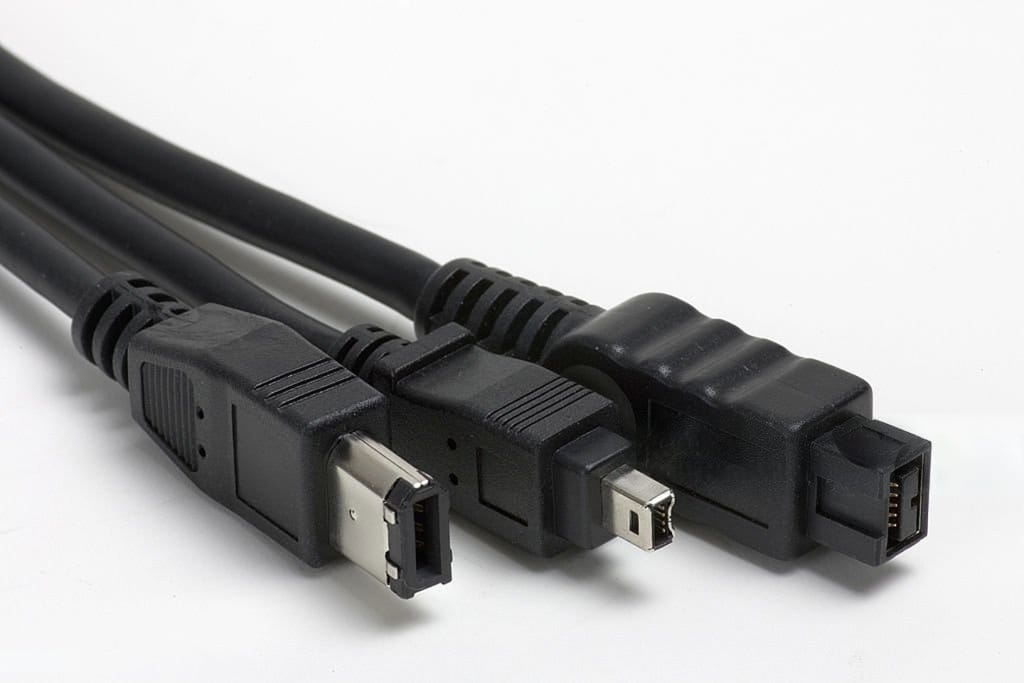
FireWire ports have disappeared from most new computers, but the equipment that uses them has not. Many miniDV camcorders, external hard drives, professional audio equipment, industrial cameras, and specialized systems still depend on FireWire for data transfer.
Replacing functional equipment can be expensive or unnecessary. Depending on the computer and device, users may only need the correct FireWire cable, adapter, expansion card, or repeater. PCCables.com offers FireWire 400 and FireWire 800 products for connecting and maintaining IEEE 1394 equipment.


What Is FireWire?
FireWire is Apple’s name for the IEEE 1394 interface, also known as i.LINK on some equipment. It was developed for high-speed connections between computers and peripherals and became especially common in digital video, audio production, external storage, and other applications that required steady data transfer.
The two most common versions are:
- FireWire 400 or IEEE 1394a: Supports transfer rates up to 400 Mbps and commonly uses 4-pin or 6-pin connectors.
- FireWire 800 or IEEE 1394b: Supports transfer rates up to 800 Mbps and commonly uses a 9-pin connector.
FireWire Connector Types
Choosing a FireWire product starts with identifying the connector on each device.
4-Pin FireWire
The compact 4-pin connector is commonly found on older cameras, MiniDV and HDV camcorders, portable devices, and some older laptops.
PCCables.com carries:
- 4-pin to 4-pin FireWire 400 cables (3FT, 6FT, 10FT, 15FT, 25FT)
- 4-pin to 9-pin bilingual cables (6FT, 10FT, 15FT, 25FT)
- 4-pin couplers and adapters (4-Pin Female Coupler)
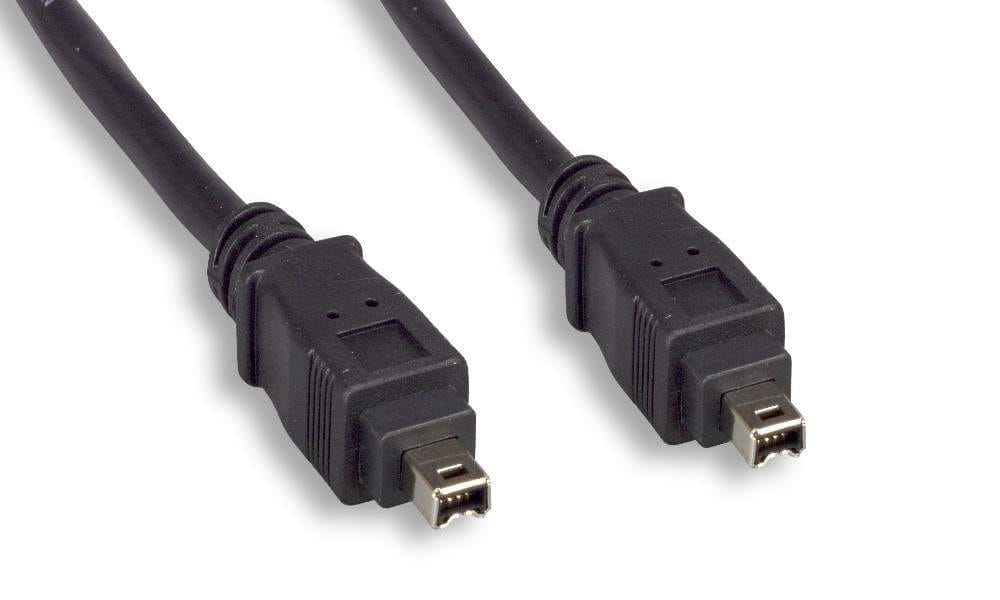
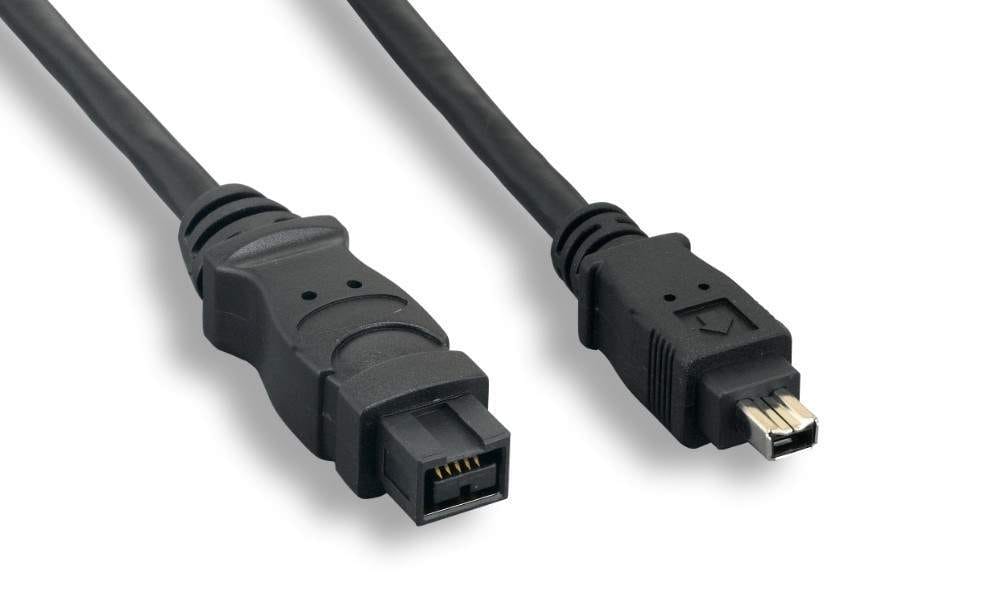
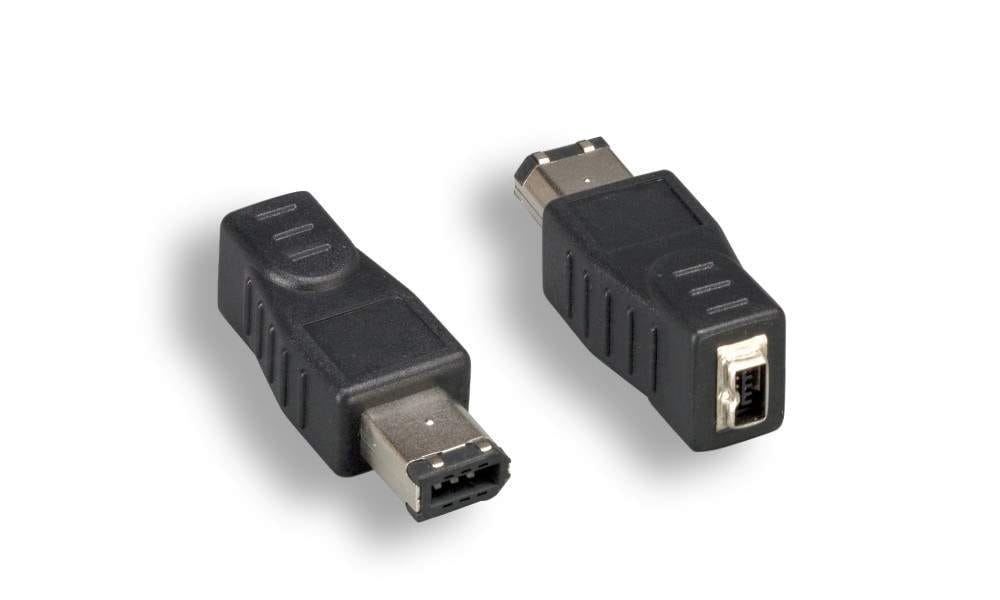
6FT 4-Pin to 4-Pin, 25FT 4-Pin to 9-Pin, 4-Pin Female to 6-Pin Male Adapter
6-Pin FireWire
The larger 6-pin connector is commonly found on desktop computers, external hard drives, audio equipment, and other FireWire 400 devices. It can also provide power to compatible peripherals. FireWire 400 devices with 4- or 6-pin connectors can connect to a 9-pin FireWire 800 port using our adapters or a direct cable from PCCables.com, with speeds limited to 400 Mbps.
Available configurations include:
- 6-pin to 4-pin (3FT, 6FT, 10FT, 15FT, 25FT, 33FT)
- 6-pin to 6-pin (1FT, 1.5FT, 3FT, 6FT, 10FT, 15FT, 30FT, 33FT, 50FT, 65FT)
- 6-pin to 9-pin (6FT, 10FT, 15FT)
- 6-pin adapters and couplers (6-Pin Female Coupler, 6-Pin Male to 9-Pin Female, 6-Pin Male to 4-Pin Female, 6-Pin Female to 4-Pin Male)
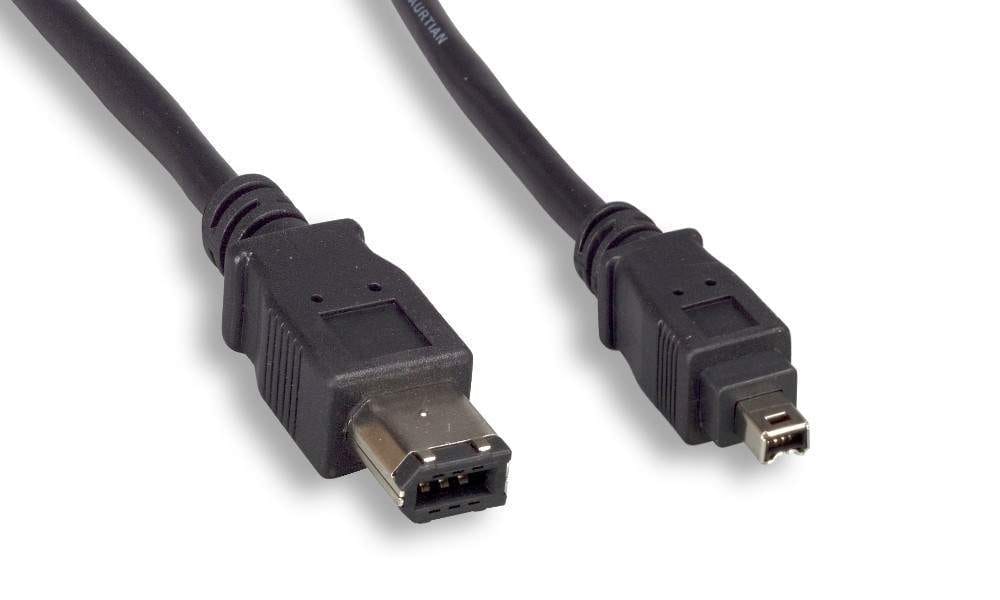
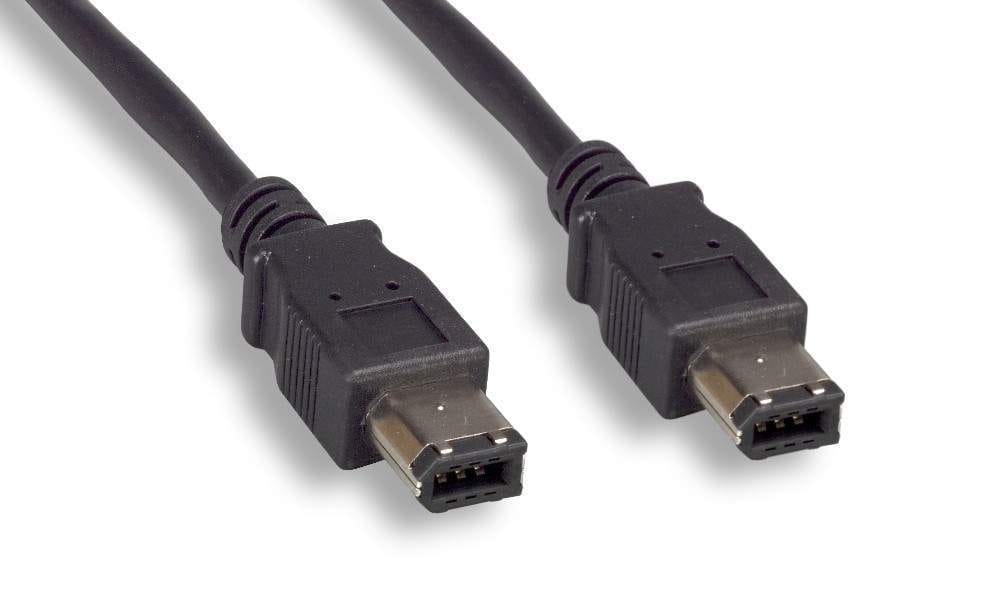
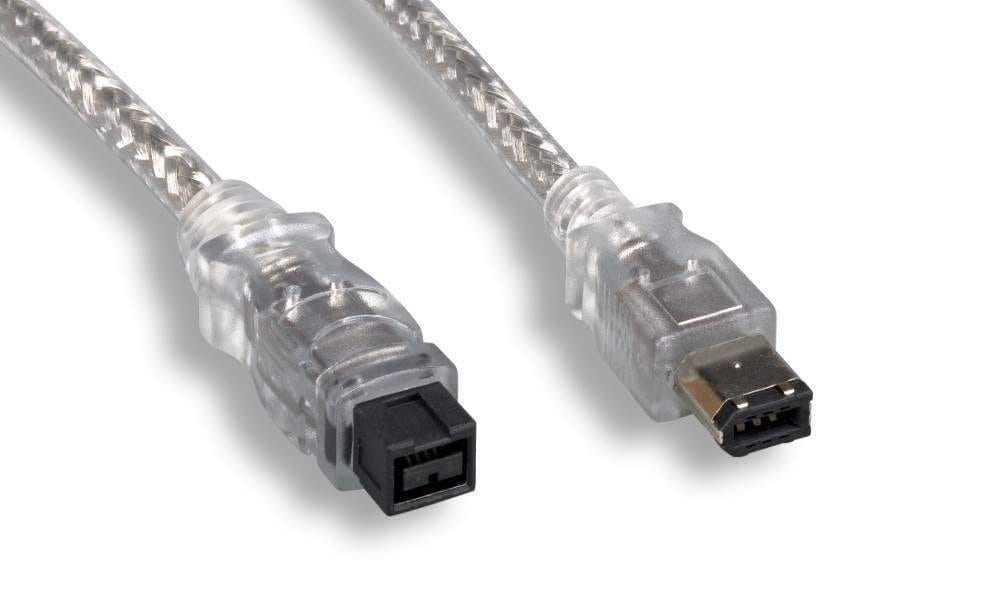
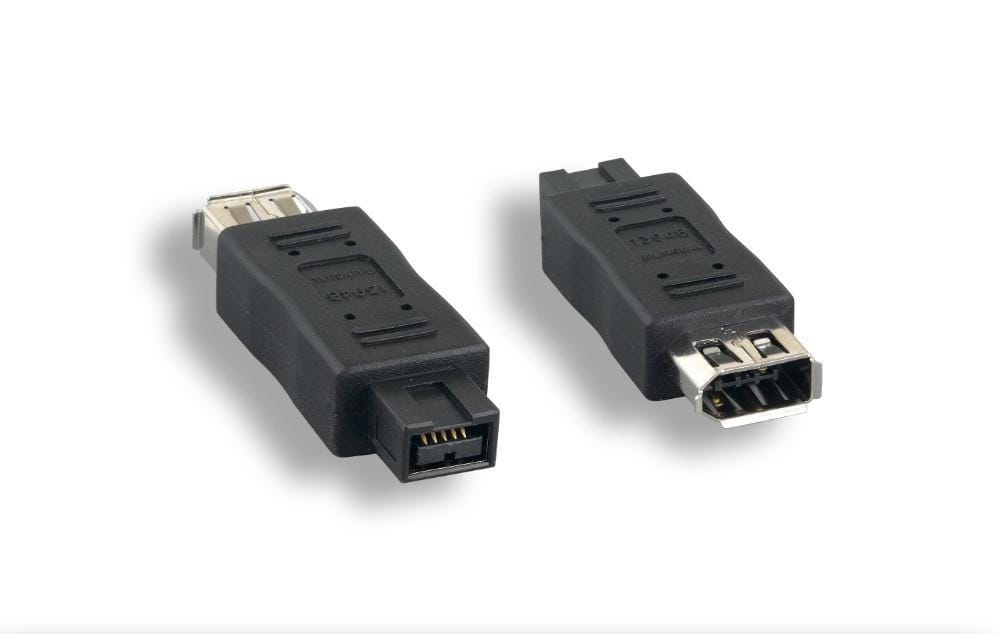
6FT 6-Pin to 4-Pin, 15FT 6-Pin to 6-Pin, 6FT 6-Pin to 9-Pin, 6-Pin to 9-Pin Adapter
9-Pin FireWire
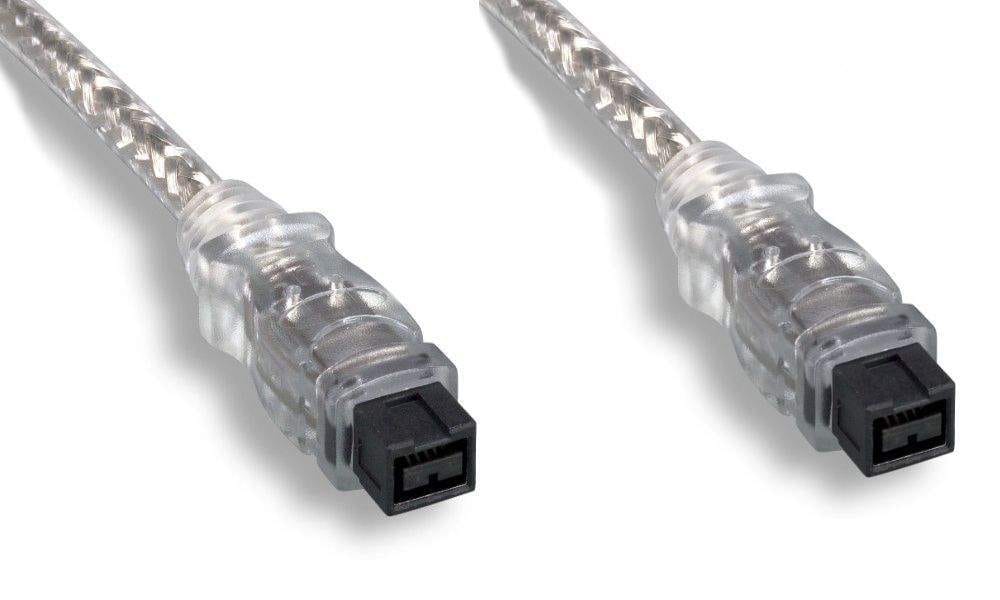
The 9-pin connector is primarily associated with FireWire 800. It appears on later Apple computers, professional storage equipment, audio hardware, and other IEEE 1394b devices.
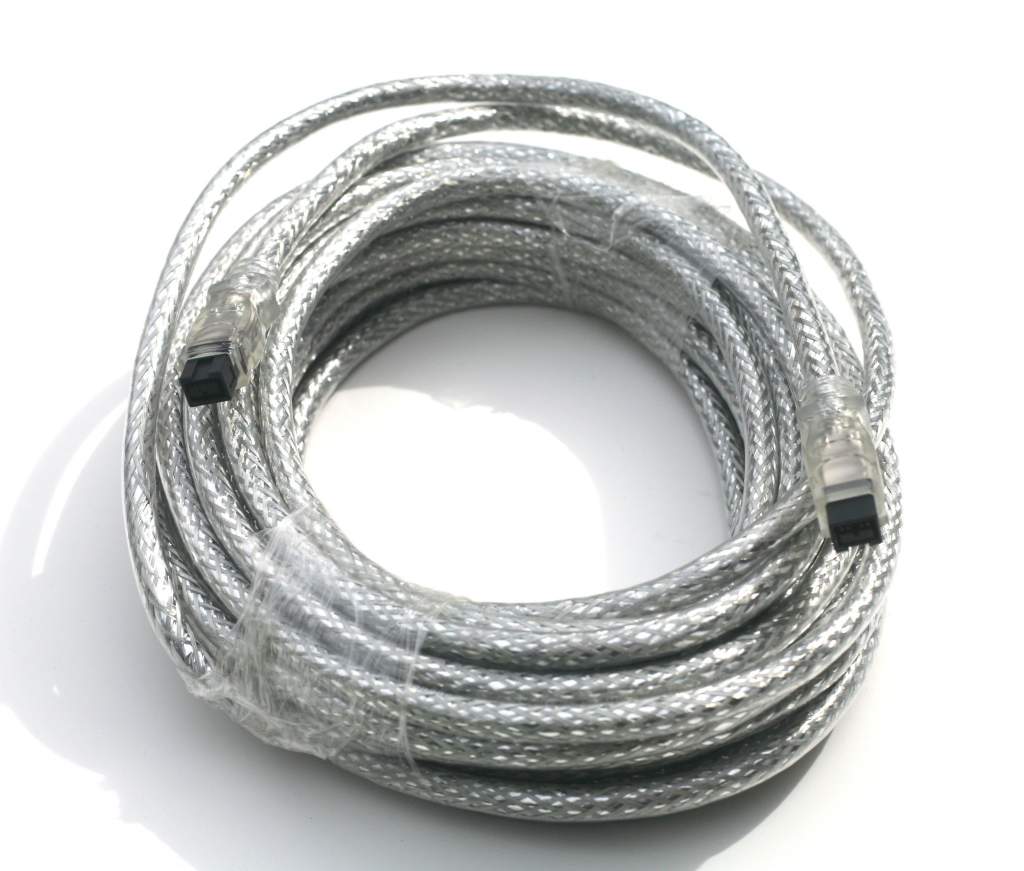
PCCables.com offers 9-pin to 9-pin FireWire 800 cables in addition to our bilingual 9-pin to 6-pin and 9-pin to 4-pin cables. The current FireWire catalog covers all six major connector combinations and includes various lengths: 3FT, 6FT, 10FT, 15FT and 33FT.

Extend a FireWire Connection
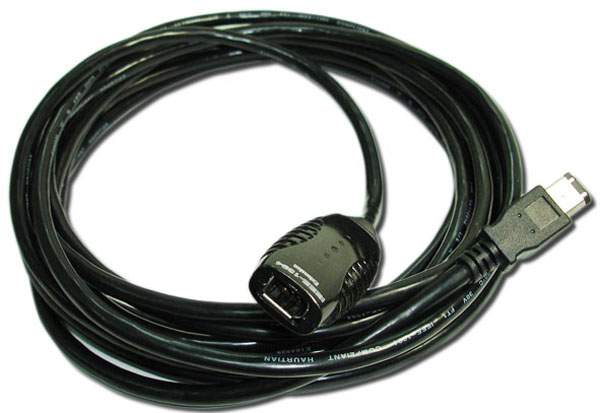
Long FireWire installations may require more than a standard passive cable. Active repeater cables contain electronics that regenerate the signal and allow additional cable lengths to be connected.
The 15FT FireWire 400 Active Repeater provides a 6-pin male to 6-pin female connection. Its product specifications allow three repeater units to be connected without additional power. Longer installations can use a powered hub, with a stated maximum total length of 50 meters.

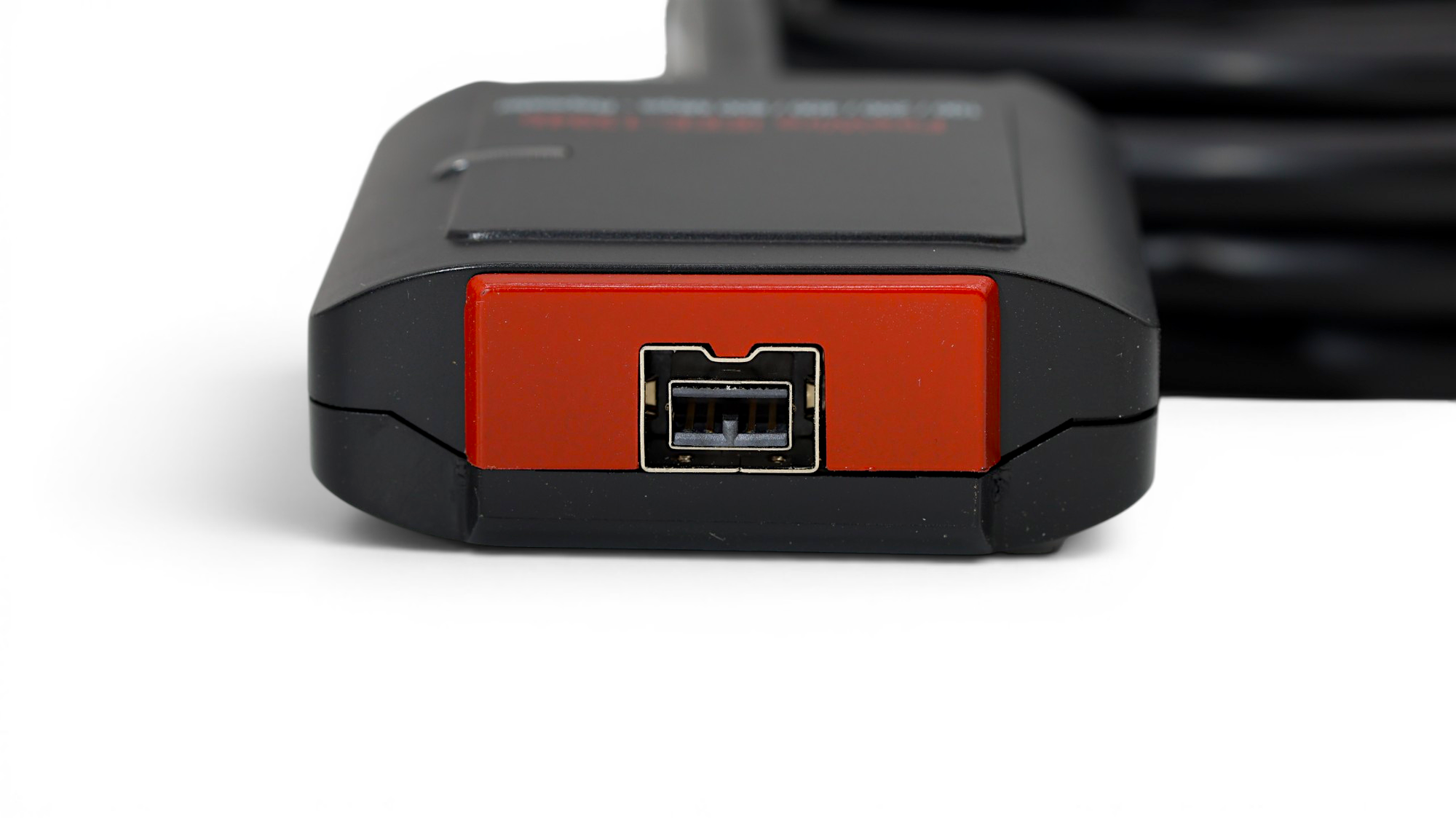
For FireWire 800, the 15FT 1394b Active Repeater uses 9-pin male and female connectors with a Texas Instruments repeater chipset. It is designed to maintain FireWire 800 performance over extended installations and can be chained within the limits specified for the product.
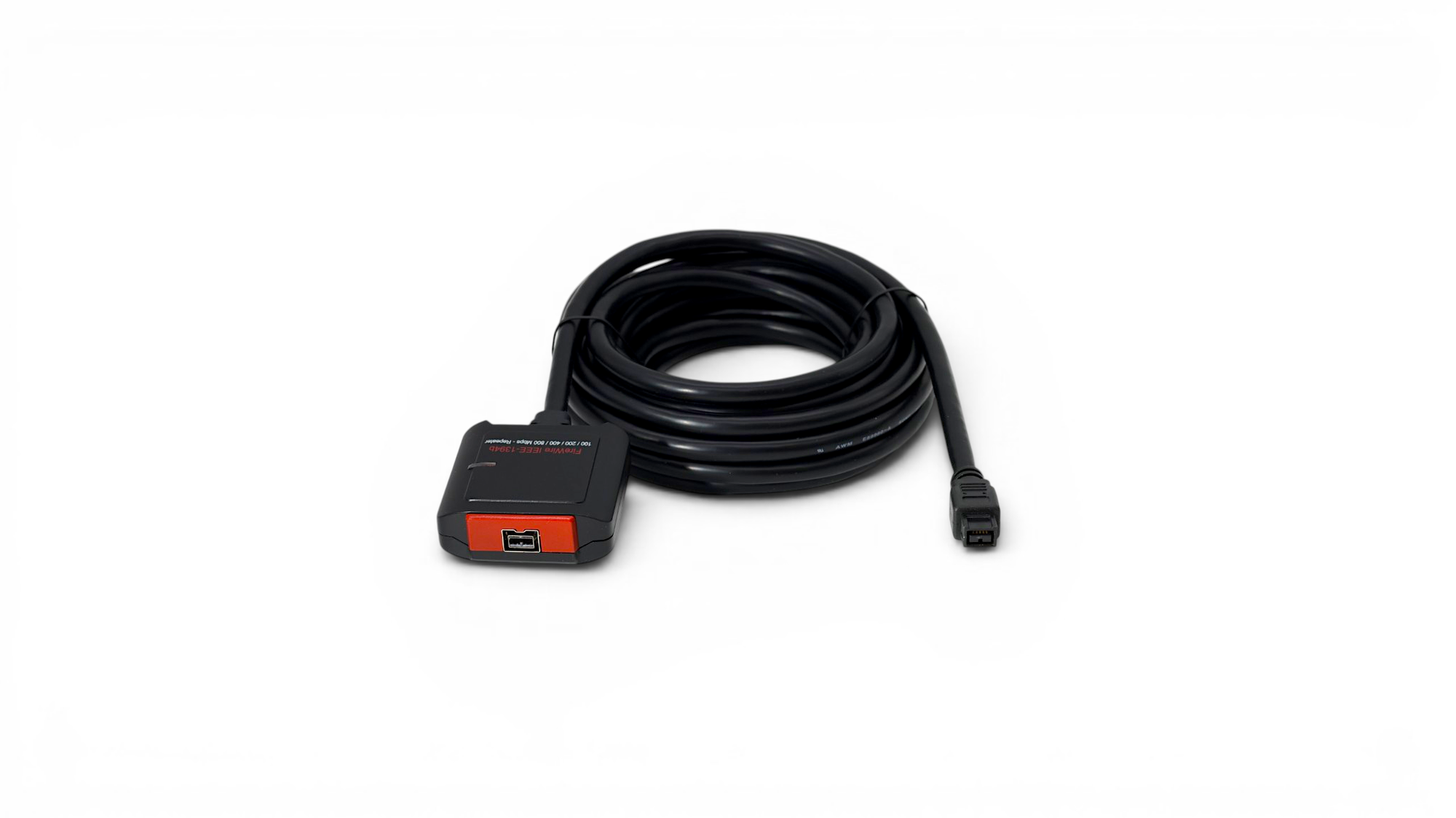
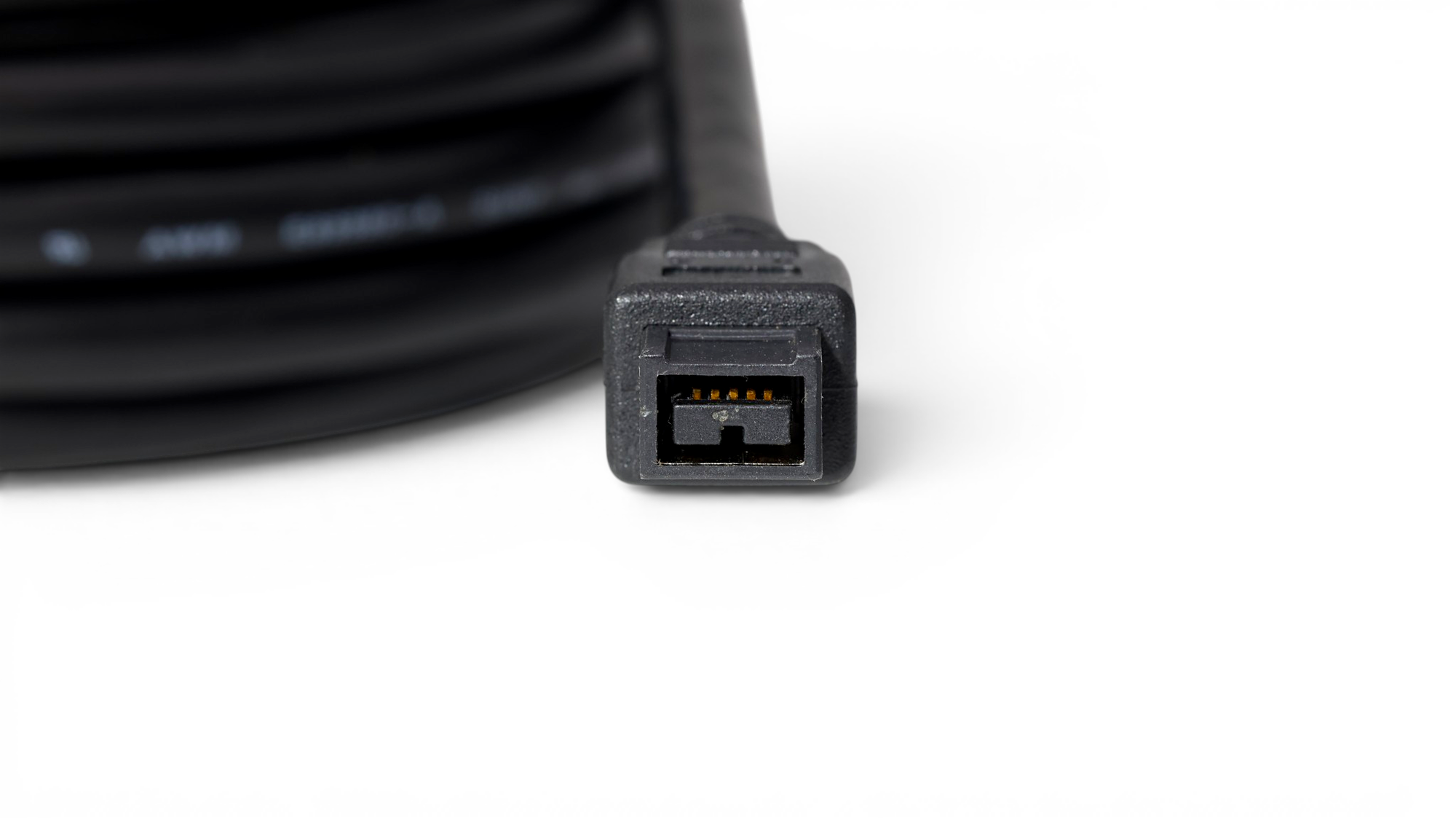
These repeaters can be useful in video production rooms, photo labs, medical installations, equipment racks, and other setups where the computer cannot remain directly beside the FireWire device.


Add FireWire to a Desktop Computer
Most modern motherboards do not include FireWire ports. A desktop computer with an available PCI Express slot can add them through a controller card.
The PCCables.com FireWire 800 PCI Express Controller Card uses a Texas Instruments chipset and provides:
- Two IEEE 1394b FireWire 800 ports
- One IEEE 1394a FireWire 400 port
- Support for 100, 200, 400, and 800 Mbps transfer rates
- A 4-pin Molex connector for additional port power
- Hot connection and disconnection support

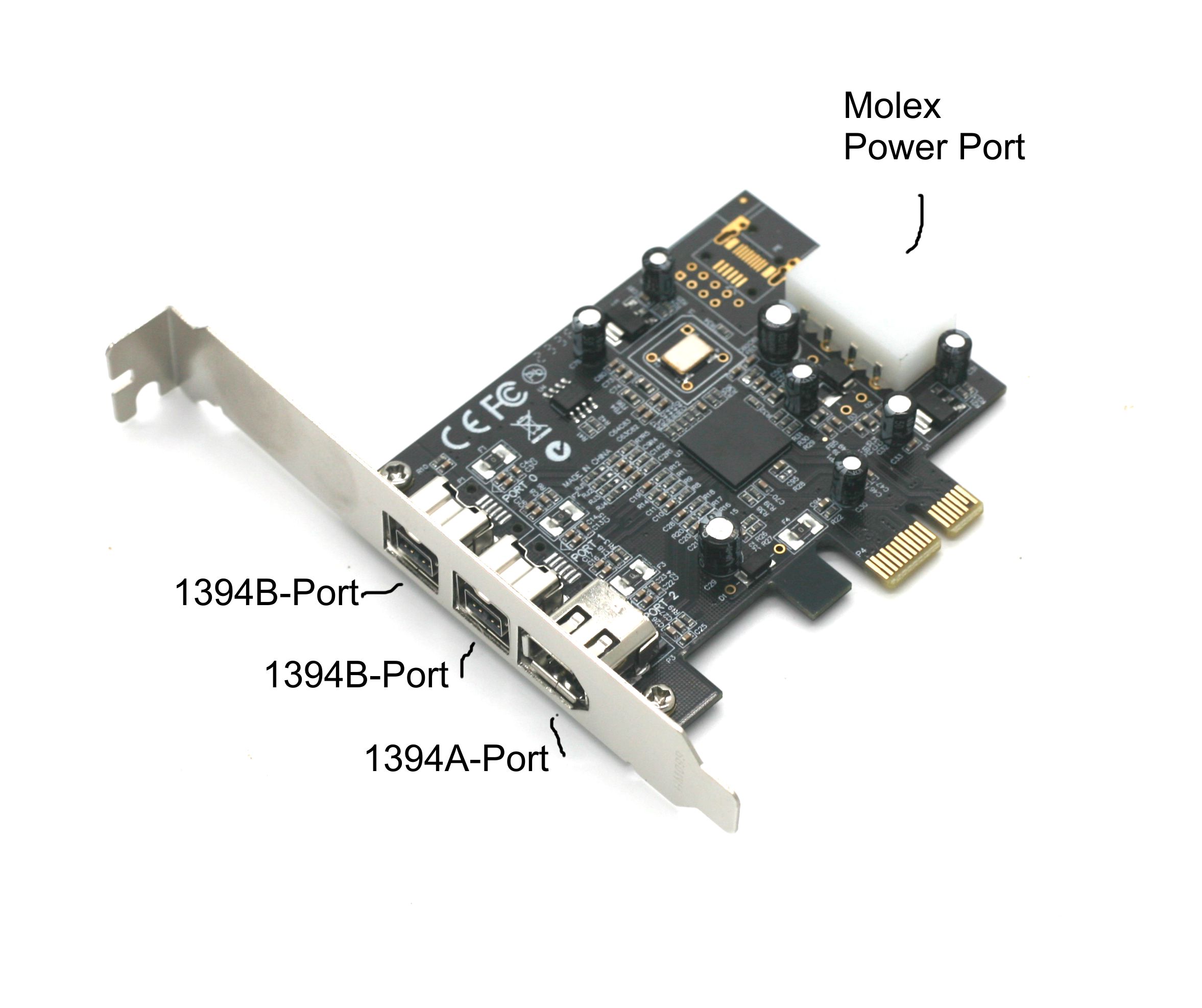
This gives compatible desktop computers access to both FireWire 400 and FireWire 800 equipment through one expansion card. Check your available PCIe slot, operating system, peripheral drivers, and software compatibility before installation.
Use an Existing Motherboard FireWire Header
Some older motherboards already have internal IEEE 1394a headers even when no external FireWire port is visible.
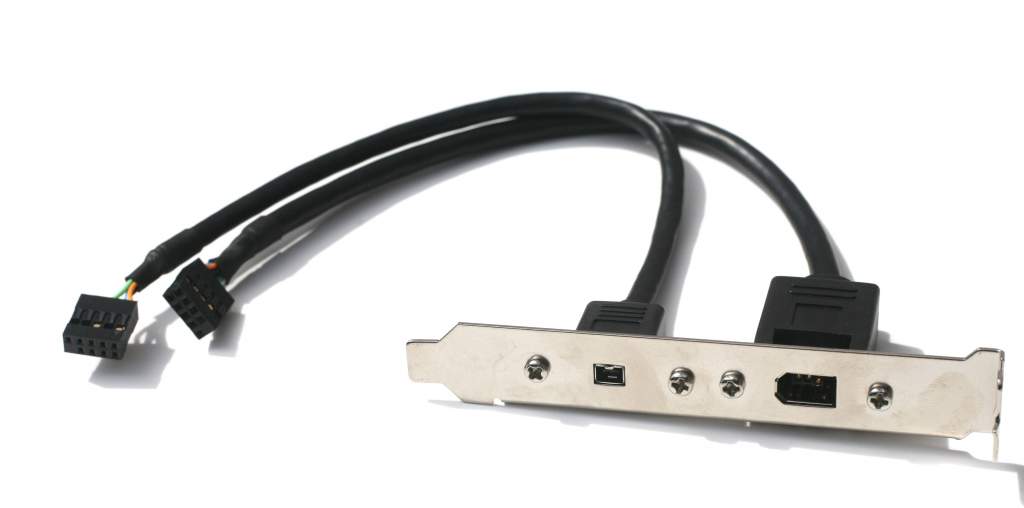
The FireWire Expansion Bracket connects to two compatible motherboard headers and adds one external 6-pin port and one external 4-pin port to the rear of an ATX desktop case. It uses an expansion-slot opening but does not require a PCI or PCIe data connection.
This can be a simple option for restoring access to FireWire ports that are already supported by the motherboard.

Transfer Video from Older Camcorders
FireWire remains important for people transferring footage from MiniDV and other digital tape formats. Many of these camcorders use a compact 4-pin FireWire connection.
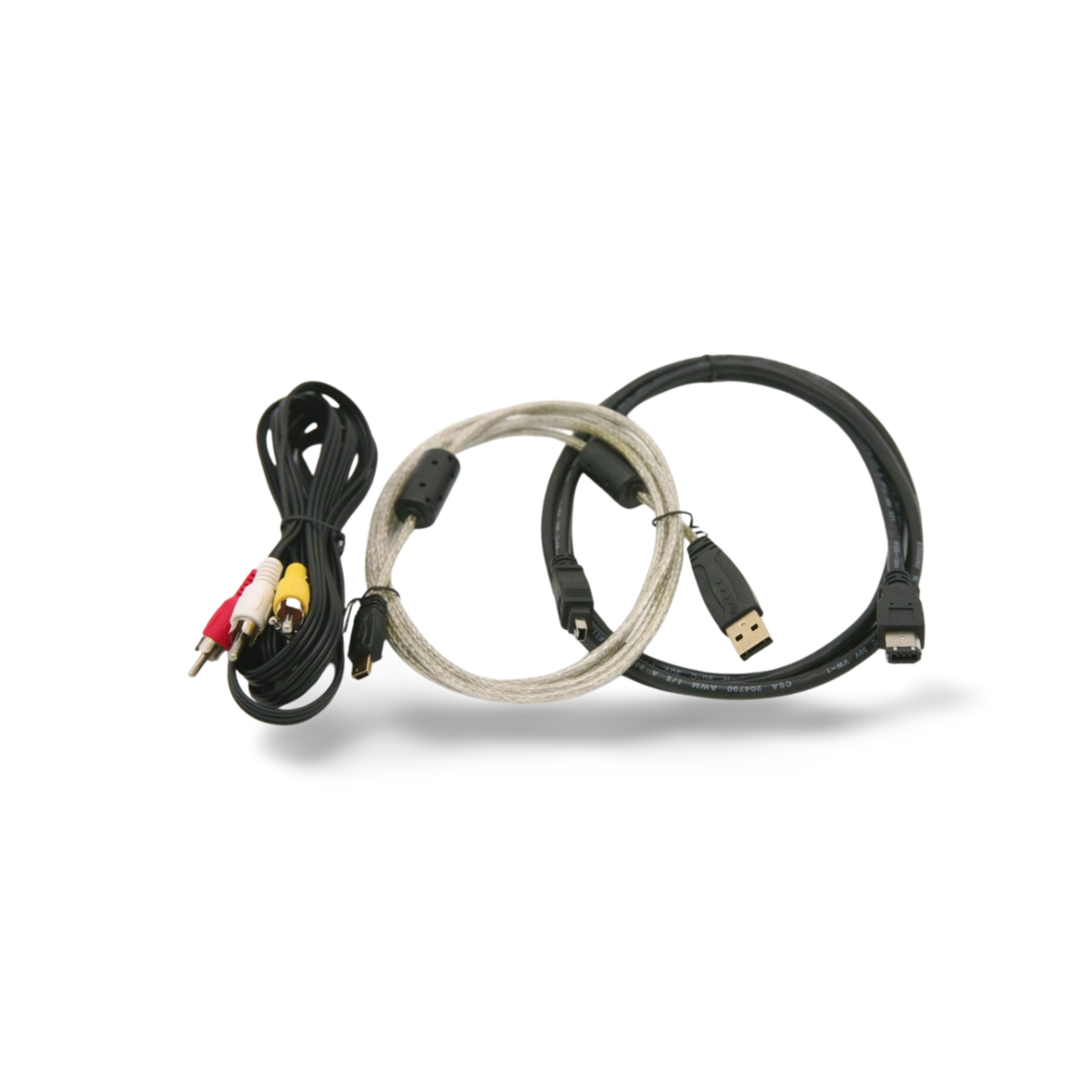
PCCables.com also offers a Camcorder Cable Set containing a 4-pin to 6-pin FireWire cable, a USB-A to Mini-B cable, and a 3.5 mm audio/video cable. This covers several common connections found on older camcorders.

Connect More FireWire Devices
A FireWire hub can expand one connection into several ports.
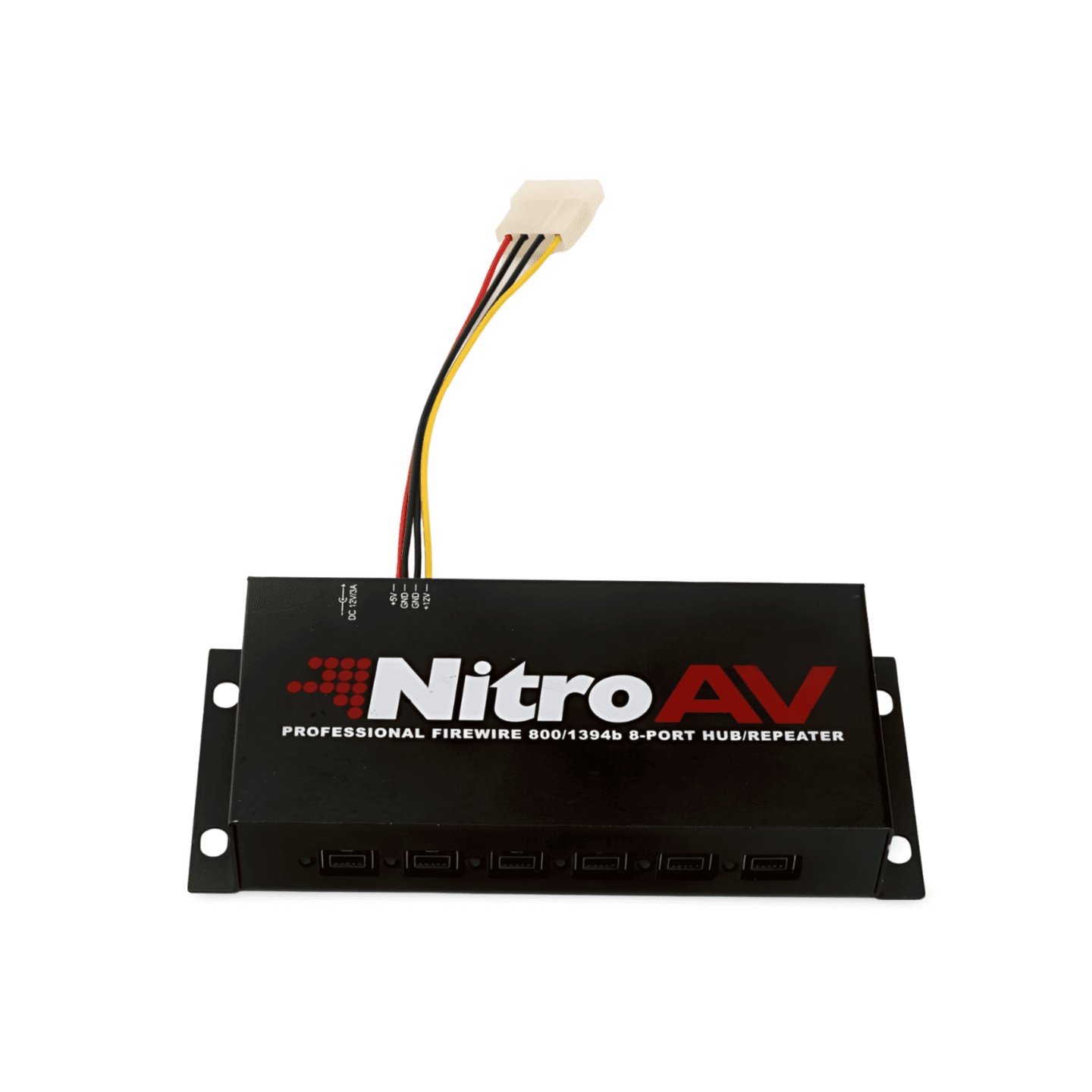
The Powered Six-Port FireWire 800 Hub provides six IEEE 1394b ports and supports transfer rates of 100, 200, 400, and 800 Mbps. It uses a Texas Instruments chipset and includes external power for connected devices. The listed units are tested and reconditioned.
A powered hub may be useful when connecting multiple drives, audio devices, cameras, or other FireWire peripherals to one computer.

Choose the Right FireWire Product
Before ordering, check four details:
- The connector on the FireWire device: 4-pin, 6-pin, or 9-pin.
- The connection available on the computer: FireWire port, motherboard header, PCIe slot, or another compatible interface.
- The FireWire standard: FireWire 400 or FireWire 800.
- Software compatibility: Confirm that the operating system and application still support the specific FireWire device.
Matching the connector alone does not guarantee that older hardware or software will operate on a newer computer. Device drivers and capture software are especially important when working with professional audio equipment, camcorders, or specialized industrial hardware.


Check out our website for all your cable needs!
Find FireWire Cables and Accessories at PCCables.com
FireWire may no longer be standard on new computers, but it remains necessary for accessing older media, storage systems, audio equipment, cameras, and specialized devices.
PCCables.com carries a broad selection of FireWire products, including:
- FireWire 400 and FireWire 800 cables
- 4-pin, 6-pin, and 9-pin configurations
- FireWire 400 to FireWire 800 adapters
- PCI Express FireWire controller cards
- Motherboard header brackets
- Active repeater extension cables
- Powered FireWire hubs
- Camcorder connection kits
- Hard-to-find long-length FireWire cables
The correct cable or expansion product can keep reliable equipment operating without requiring an unnecessary replacement.

See more of our blog posts here!
Check out our website for all your cable needs!