
FireWire 400 vs FireWire 800: Which Cable and Connector Do You Need?
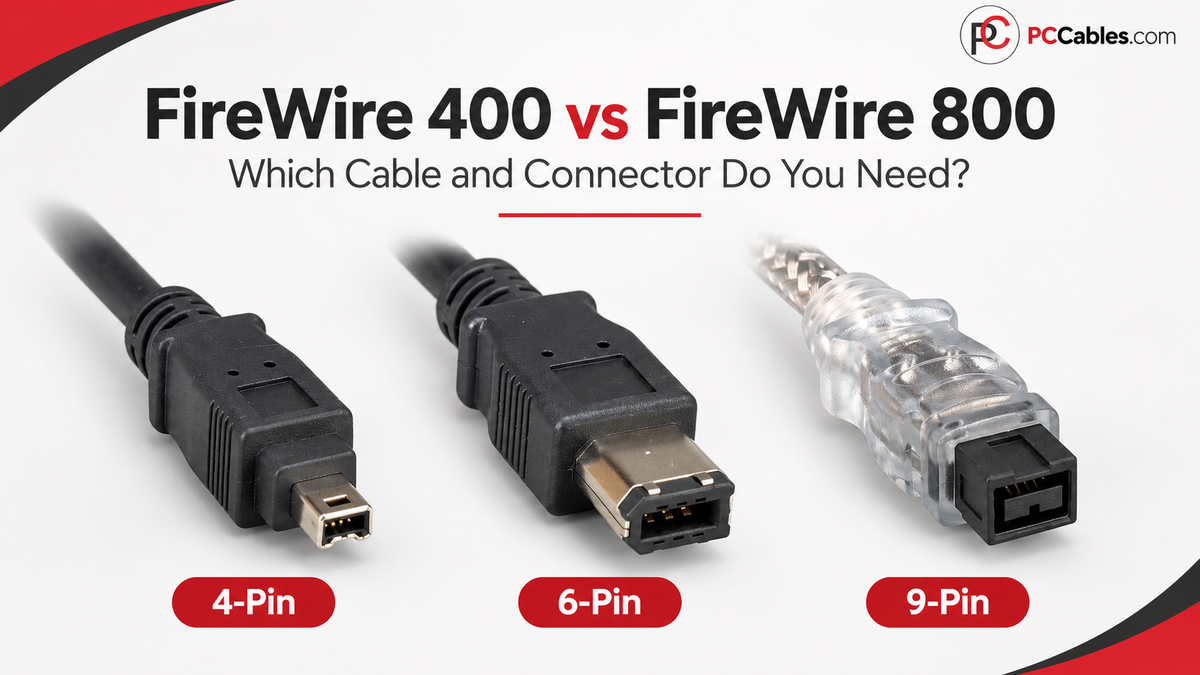
FireWire may have disappeared from most modern computers, but it remains important for older digital cameras, professional audio equipment, external hard drives and specialized hardware. If you're reconnecting one of these devices, choosing between FireWire 400 and FireWire 800 starts with identifying the correct connector.
PCCables.com carries FireWire cables, adapters and accessories in 4-pin, 6-pin and 9-pin configurations, including cables that connect FireWire 400 equipment to FireWire 800 ports.

Visit our website here!
FireWire 400 vs FireWire 800: What's the Difference?
FireWire, also known as IEEE 1394, is a digital interface used to transfer data between computers and compatible devices.
The two most common versions are:
- FireWire 400 (IEEE 1394a): Supports speeds up to 400 Mbps and commonly uses 4-pin or 6-pin connectors.
- FireWire 800 (IEEE 1394b): Supports speeds up to 800 Mbps and commonly uses a 9-pin connector.
FireWire 800 offers twice the maximum signaling rate of FireWire 400. However, the actual transfer speed depends on the connected equipment, and using a FireWire 800 cable with a FireWire 400 device does not increase that device's speed.


Understanding 4-Pin, 6-Pin and 9-Pin FireWire Connectors
Identifying the connector is usually the most important step when buying a replacement cable.
| Connector | Standard | Common Applications |
|---|---|---|
| 4-Pin | FireWire 400 | MiniDV camcorders, digital cameras and portable equipment |
| 6-Pin | FireWire 400 | External hard drives, desktop computers and audio interfaces |
| 9-Pin | FireWire 800 | Later Mac computers, professional storage and audio equipment |
The 4-pin connector carries data but does not provide bus power. Six-pin FireWire 400 and nine-pin FireWire 800 connections can supply power when supported by the connected equipment.
These connectors are physically different, but compatible FireWire 400 and FireWire 800 devices can communicate through the appropriate bilingual cable or adapter.
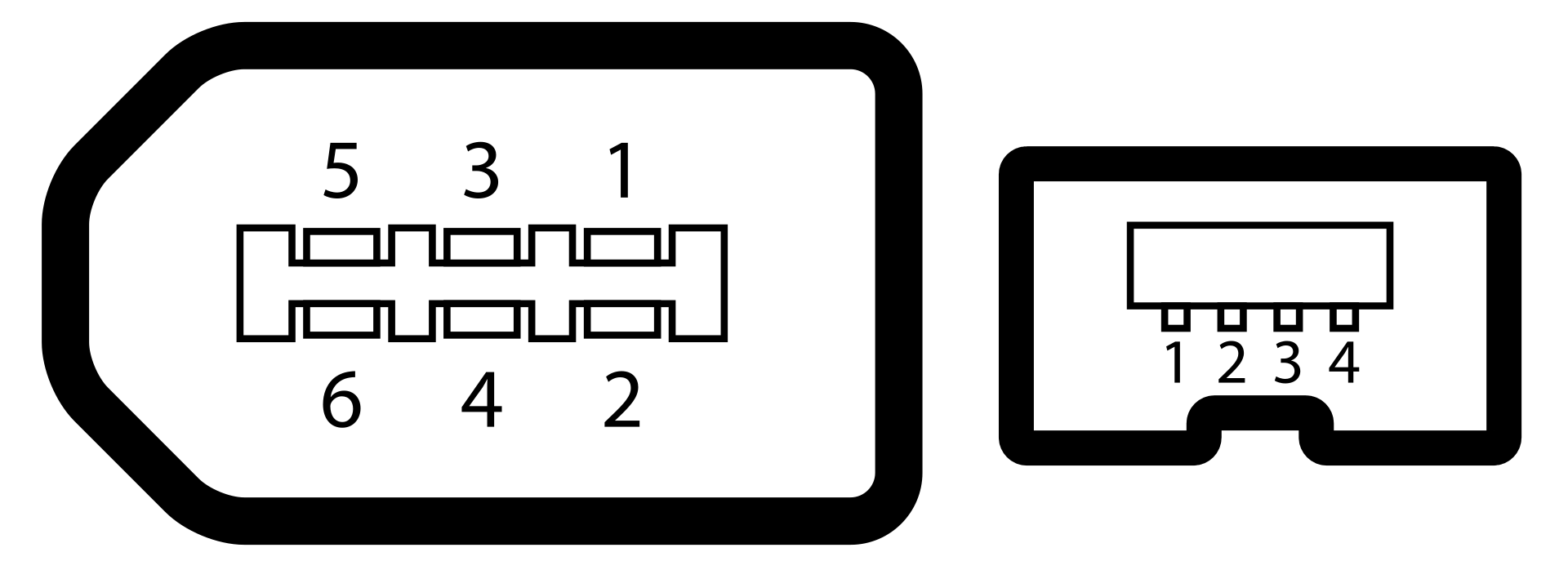
FireWire 400 Cables: 4-Pin and 6-Pin Connections
FireWire 400 was especially common on digital video cameras, including MiniDV camcorders using Sony's i.LINK connection.
For example, the 6FT FireWire 400 6-Pin to 4-Pin Cable connects compatible cameras with 4-pin ports to computers equipped with 6-pin FireWire connections.
PCCables.com also carries:
The 6-pin connection was common on desktop computers and external storage equipment, particularly when a peripheral could receive power through FireWire.
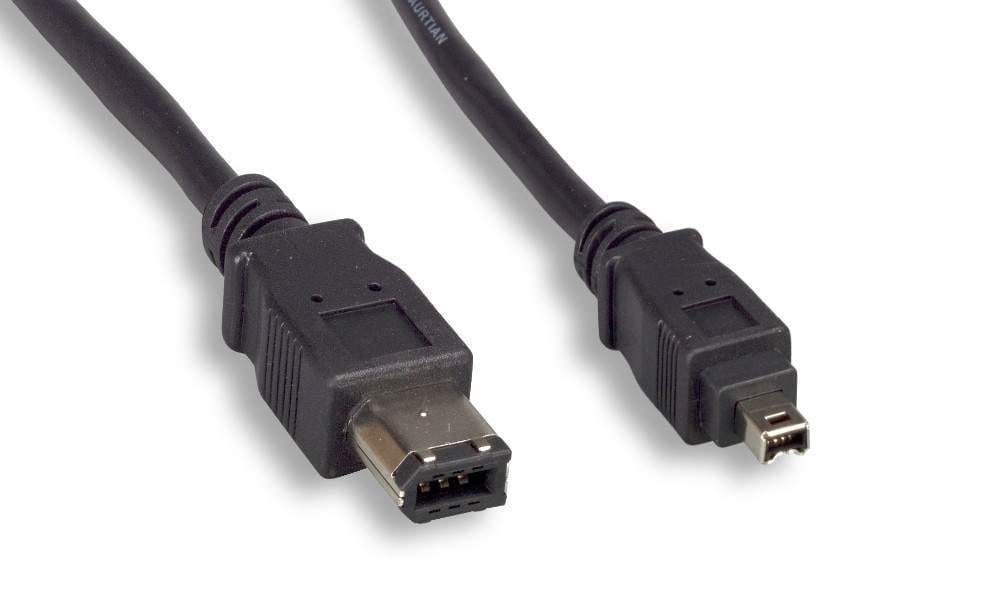
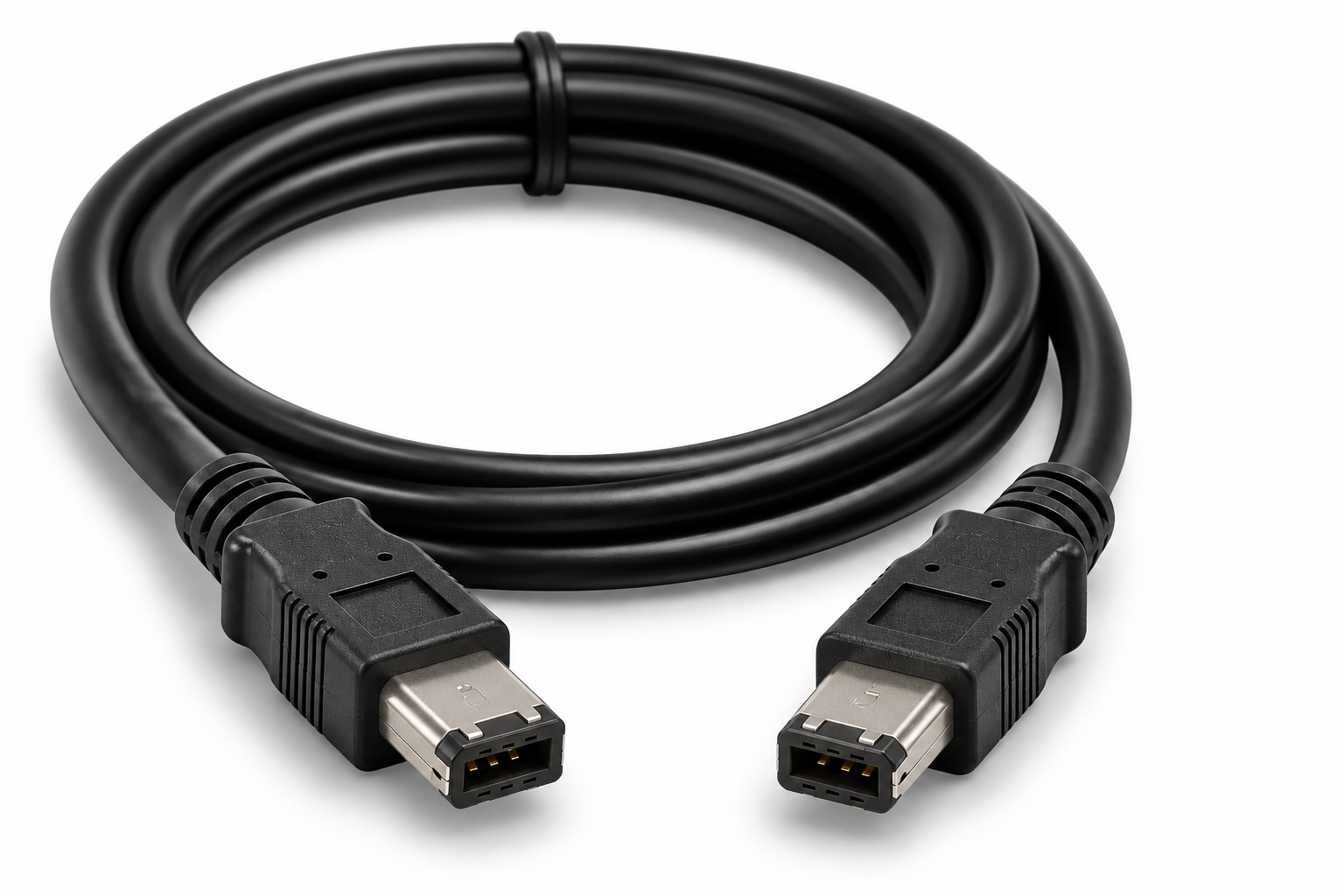
6FT FireWire 400 6-Pin to 4-Pin Cable and 6FT FireWire 400 6-Pin to 6-Pin Cable
FireWire 800 Cables: The 9-Pin Connection
FireWire 800 introduced a 9-pin connector and increased the maximum transfer rate to 800 Mbps.
It became popular for external storage, media production workstations and professional audio equipment requiring faster data transfers.
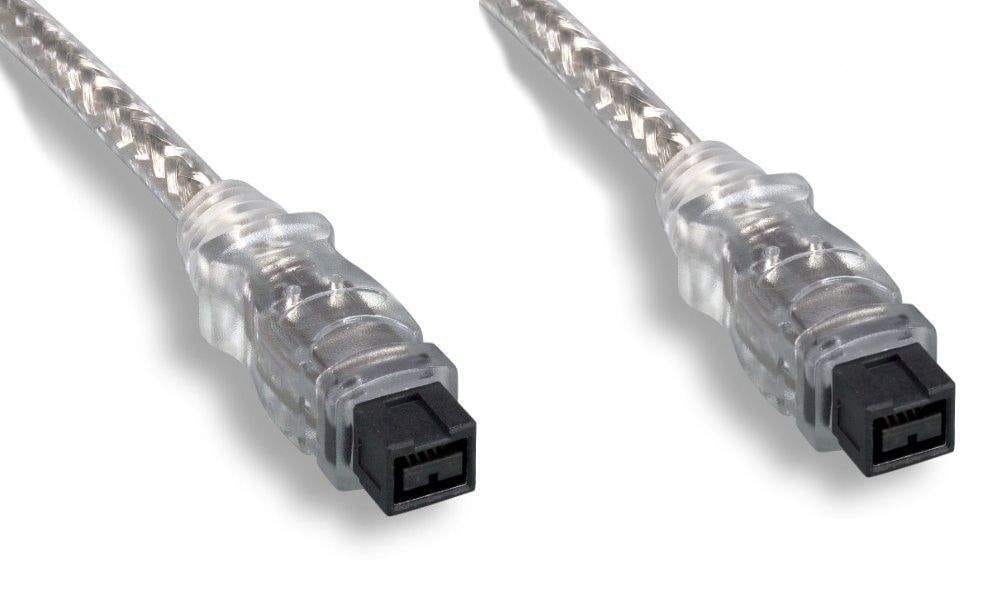
The 6FT FireWire 800 9-Pin to 9-Pin Cable connects compatible FireWire 800 devices. PCCables.com also carries longer configurations, including the 10FT 9-Pin to 9-Pin Cable.
FireWire 800 can be useful when accessing older high-capacity external drives or maintaining audio and video production equipment.
Can You Connect FireWire 400 to FireWire 800?
Yes. FireWire 800 supports backward-compatible connections to FireWire 400 devices. You simply need the appropriate cable or adapter.
PCCables.com offers two common configurations:
For example, a computer with a 9-pin FireWire 800 port can connect to a compatible 4-pin MiniDV camcorder using the 9-pin to 4-pin cable.
The connection operates at FireWire 400 speeds because the slower device determines the maximum transfer rate for that link.
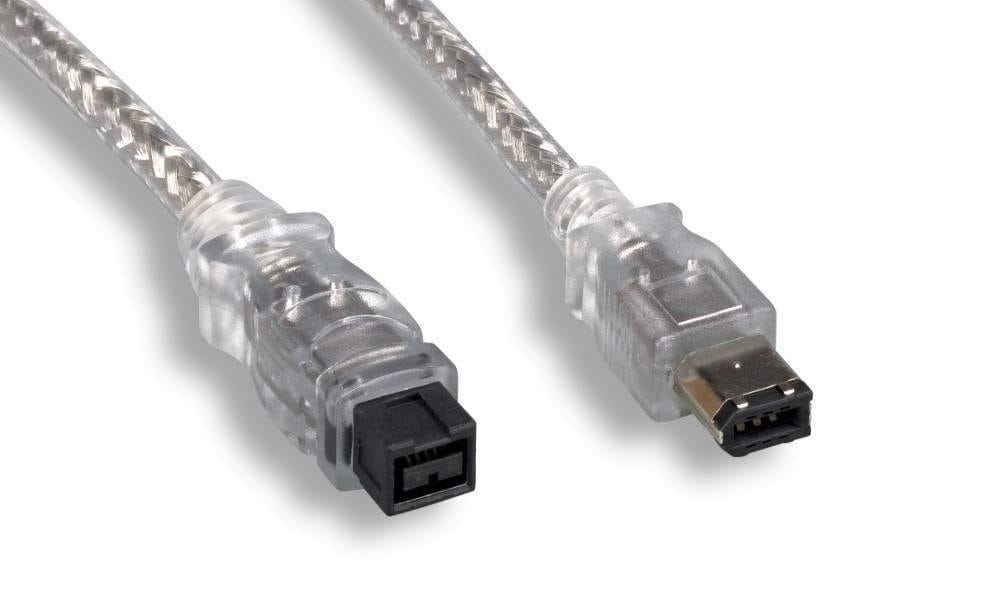
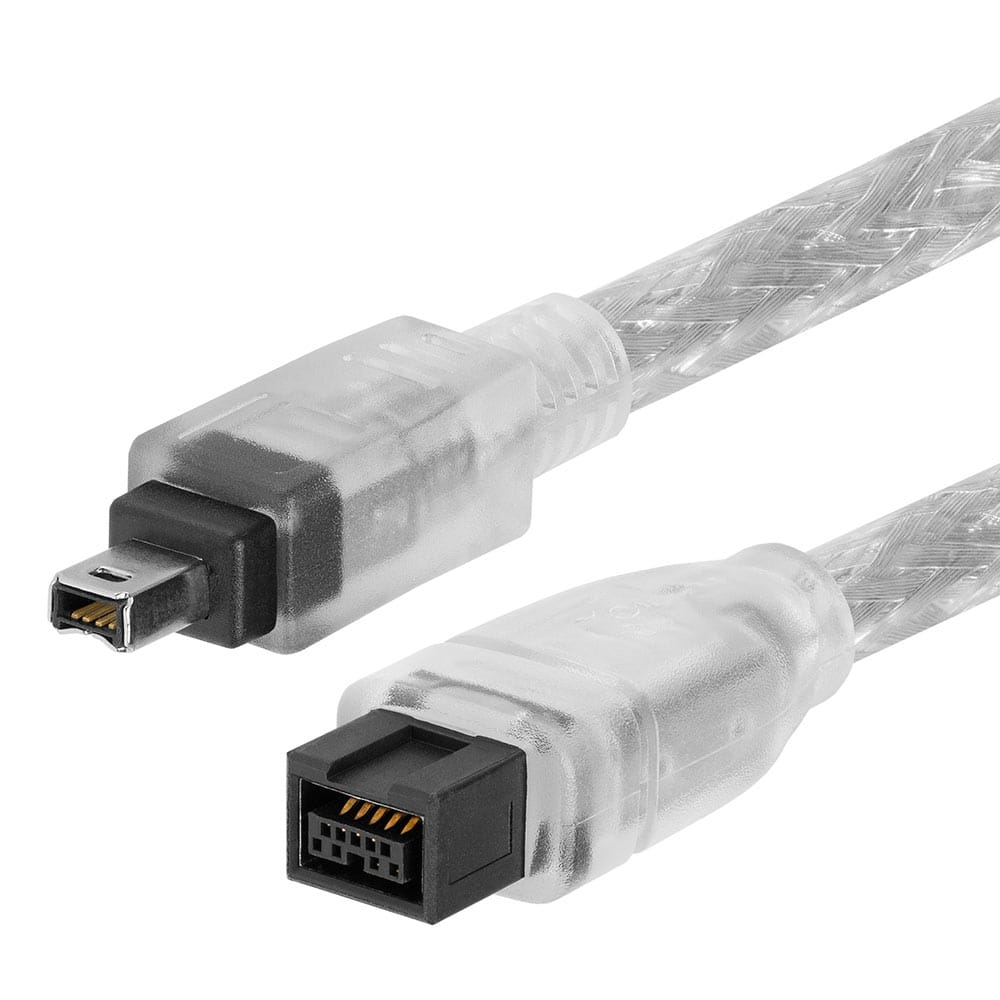
6FT FireWire 800 to 400 Cables: 9-Pin to 6-Pin and 9-Pin to 4-Pin
Find the Right FireWire Cable at PCCables.com
Whether you're transferring old camcorder footage, reconnecting an external drive or maintaining professional recording equipment, the right FireWire connection depends on the ports at both ends.
Browse PCCables.com's complete FireWire selection for 4-pin, 6-pin and 9-pin cables, bilingual adapters, longer cable lengths and accessories for legacy equipment.
Matching the correct connectors and checking device compatibility can help keep existing hardware in service for years to come.

See more of our blog posts here!


Check out our website for all your cable needs!