USB Cable Types: USB-A, USB-B, USB-C, Mini-B and Micro-B
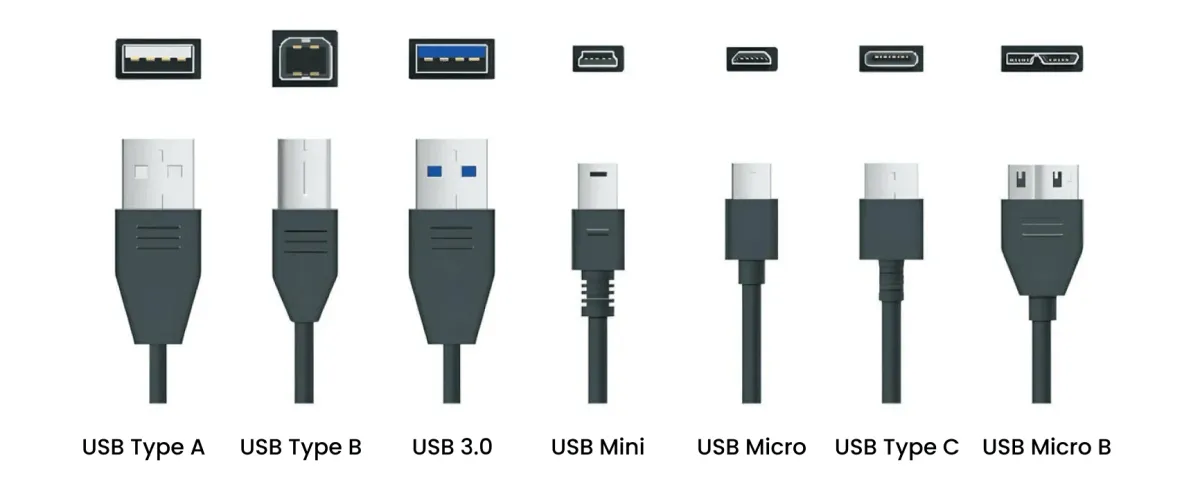
USB cables come in several shapes and sizes, and choosing the right one starts with identifying the connectors on your devices. USB-A, USB-B, USB-C, Mini-B, and Micro-B are some of the most common USB connector types found on computers, printers, cameras, external drives, phones, and other electronics.
One important distinction is that the USB connector type and USB version are not the same thing. USB-A or USB-C describes the physical connector, while USB 2.0, USB 3.0, and USB 4 describe the technology and performance supported by the cable and devices.
PCCables.com carries USB cables and adapters for both current and legacy equipment, including USB-A, USB-B, USB-C, Mini-B, Micro-B and extension cables.
USB-A
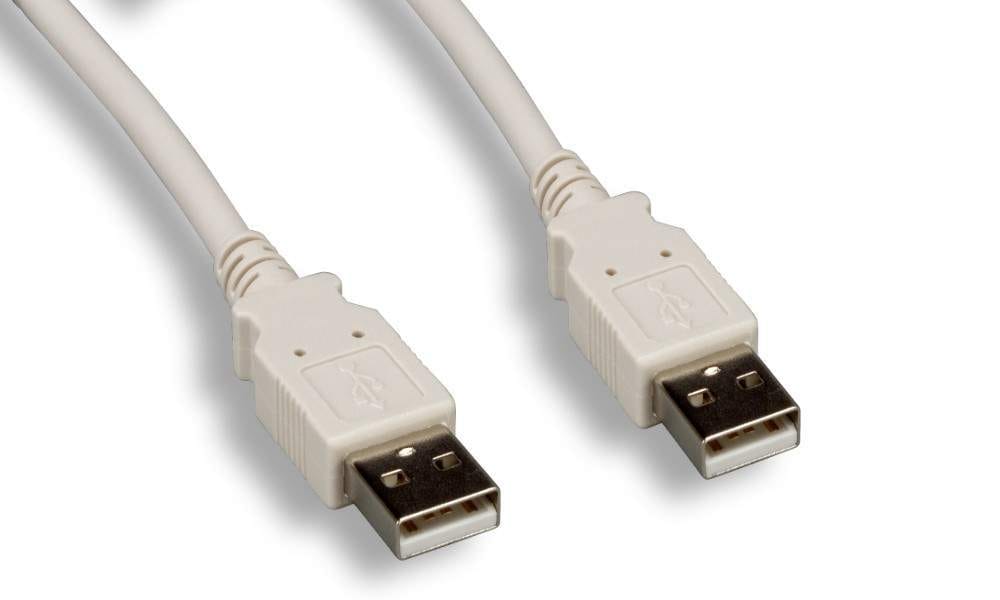
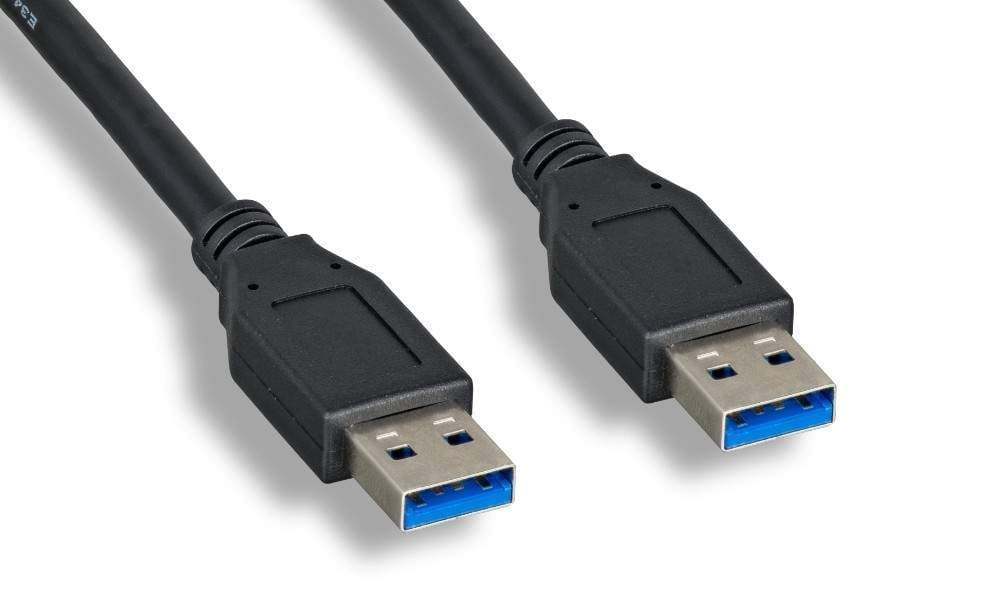
USB-A is the familiar rectangular USB connector used on desktop computers, laptops, chargers, hubs, and countless other devices.
For many years, USB-A was the standard computer-side connection. It is commonly paired with USB-B for printers, Mini-B or Micro-B for older portable electronics, and USB-C for newer devices.
USB-A has also been used across multiple USB generations, so two USB-A cables can look similar while supporting different data speeds.
USB-B
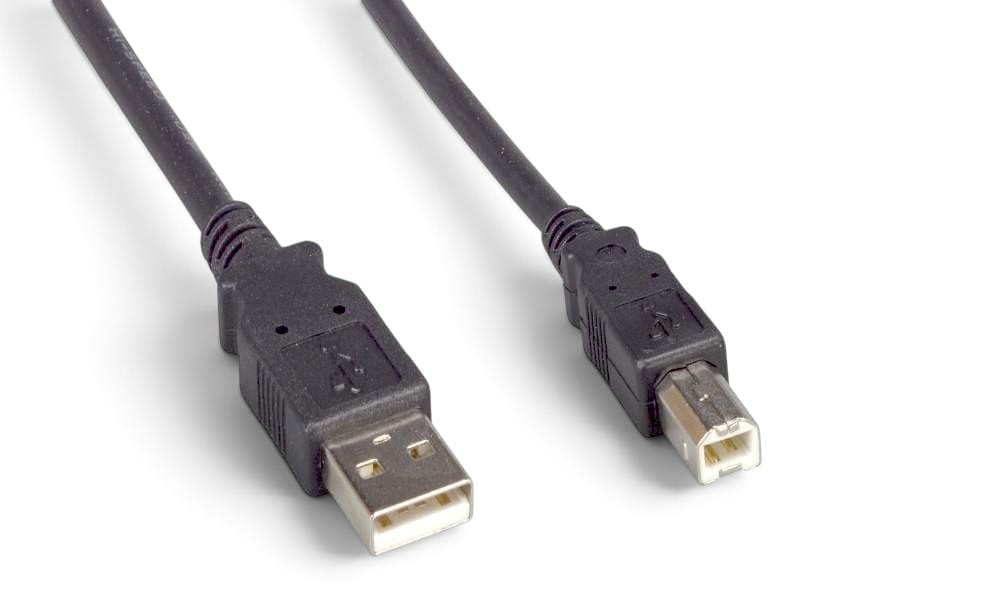
USB-B is best known as the larger, square-shaped connector found on printers and scanners. It is also used on audio equipment, industrial hardware, and other peripherals.
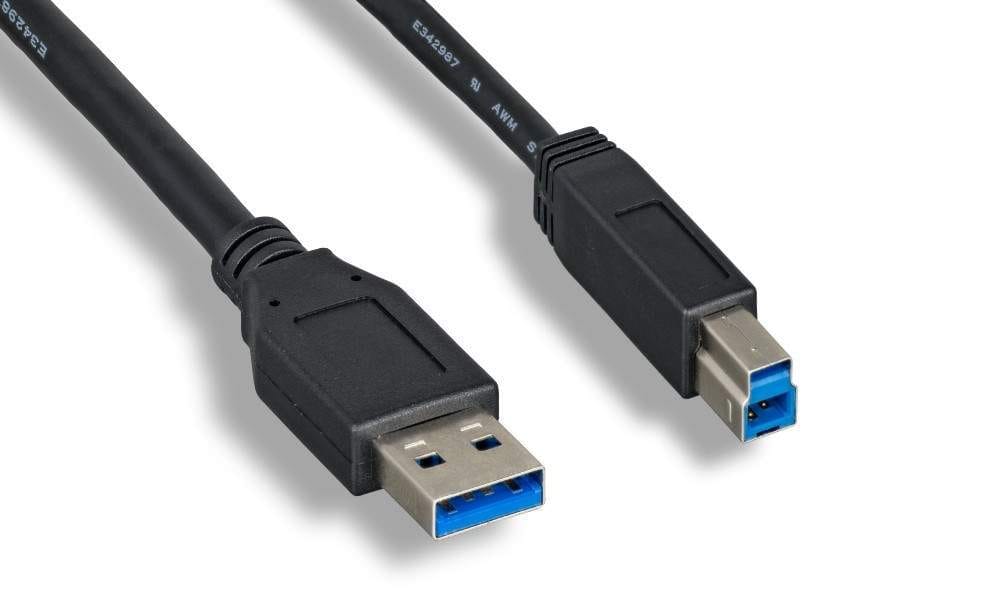
A traditional printer cable usually has USB-A on one end and USB-B on the other.
USB 3.0 introduced a larger variation of the USB-B connector for higher-speed devices. Because standard USB-B and USB 3.0 Type-B ports look different, checking the port before ordering a replacement cable is important.
PCCables.com offers USB cables for both standard and higher-speed USB-B applications in a range of lengths.
USB-C
USB-C is the connector found on many newer laptops, phones, tablets, docking stations, external drives, and other modern electronics.
Its small oval connector is reversible, so it can be inserted either way. USB-C can also support data, charging, video, and other functions depending on the cable and equipment.
However, USB-C does not automatically mean a particular speed.
A USB-C cable may operate at USB 2.0 speeds or support much faster USB 3.0 or USB 4.0 connections. Charging capacity can also vary between cables.
When buying a USB-C cable, check more than the connector. Make sure the cable supports the data speed and power requirements of the devices you plan to use.
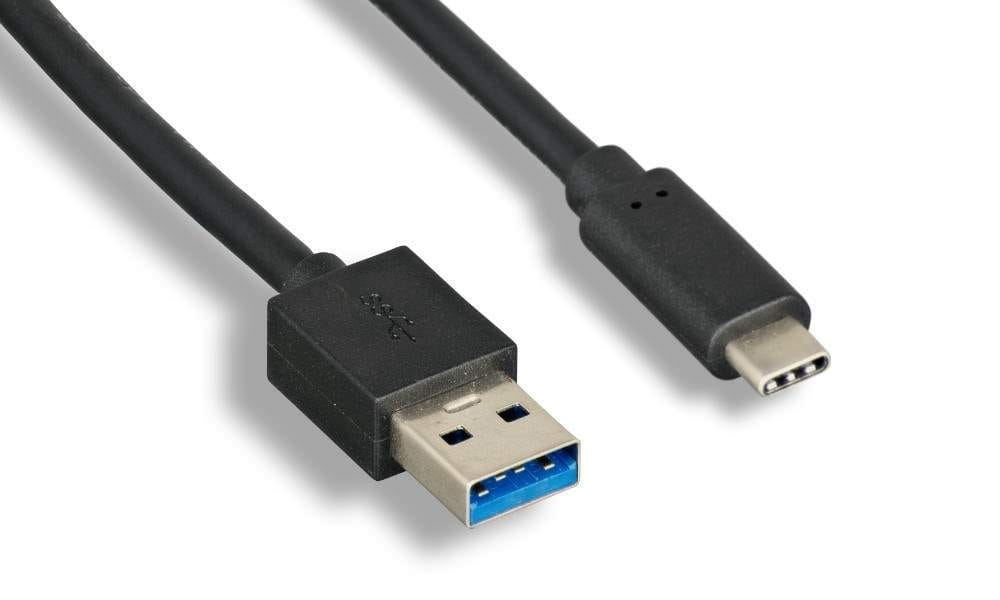
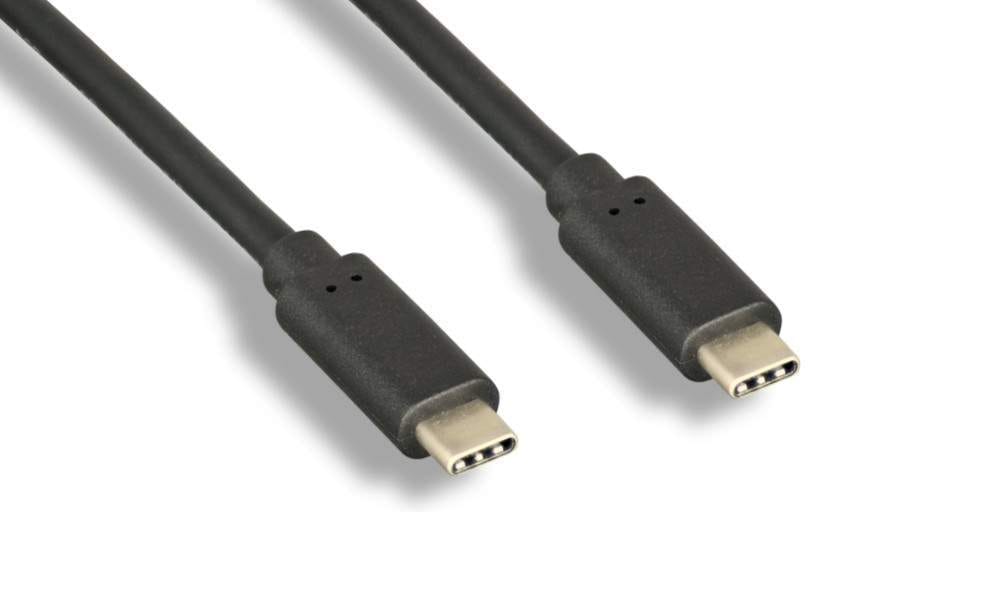
PCCables.com carries USB-A to USB-C cables in 3FT, 6FT, and 12FT lengths, along with USB-C to USB-C cables in approximately 3FT and 6.5FT lengths. Specialty screw-lock and high-speed USB 4.0 options are also available.
Mini-B
USB Mini-B was widely used before Micro-USB became common. It can still be found on older digital cameras, GPS units, MP3 players, external devices, and other portable electronics.
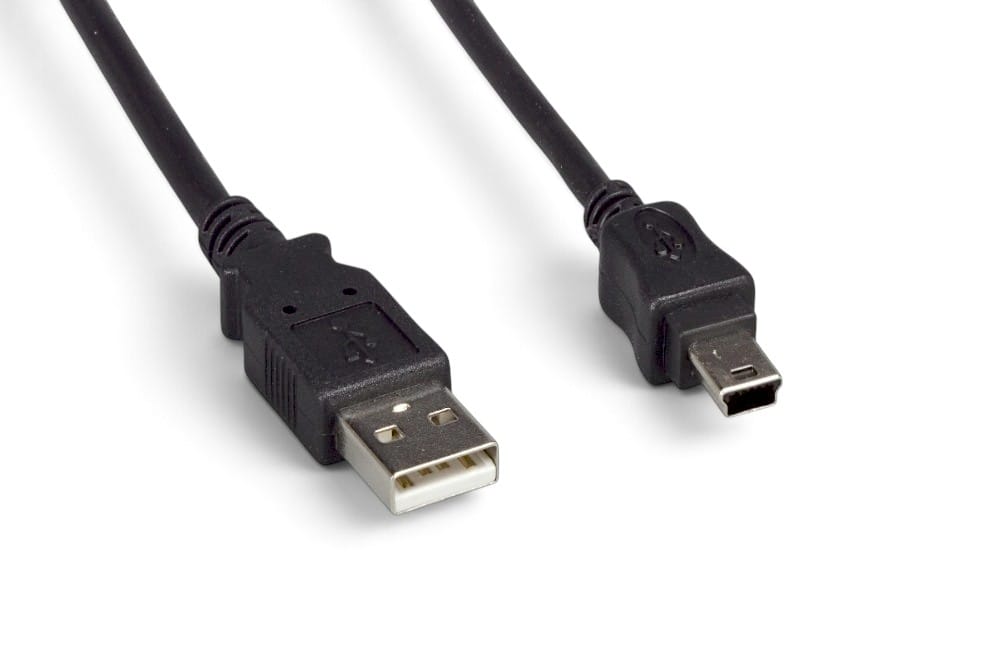
The standard Mini-B connector has five pins and is considerably smaller than the traditional USB-B connector.

PCCables.com carries Mini-B replacement cables for many legacy devices, including Nikon CoolPix and D-series cameras, Fujifilm FinePix cameras, Concord Eye-Q cameras, Polaroid digital cameras, Garmin GPS handhelds, and iRiver MP3 players.
Although Mini-B is uncommon on new consumer electronics, millions of older devices still use it. Finding a replacement USB-A to Mini-B cable can often keep older cameras, navigation systems, and other equipment in service. We carry 3FT, 6FT, 10FT and Mini-B Adapters.
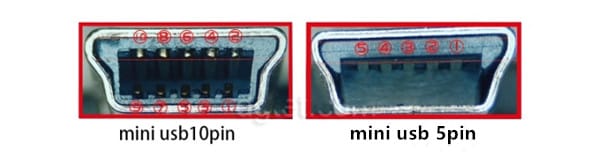
Mini-B connectors are not all the same. The most common version uses 5 pins, but some devices use a wider 10-pin Mini-B connector. These versions are not interchangeable, so check the port and device specifications before ordering a replacement cable. PCCables.com carries both standard 5-pin Mini-B cables and 10-pin Mini-B cables.
Micro-B
USB Micro-B, commonly called Micro-USB, replaced Mini-B on many phones, cameras, controllers, GPS units, and other portable devices from brands including Nikon, Kodak, Konica-Minolta, Samsung, Motorola, HTC, BlackBerry, Nokia, LG, and Sanyo.
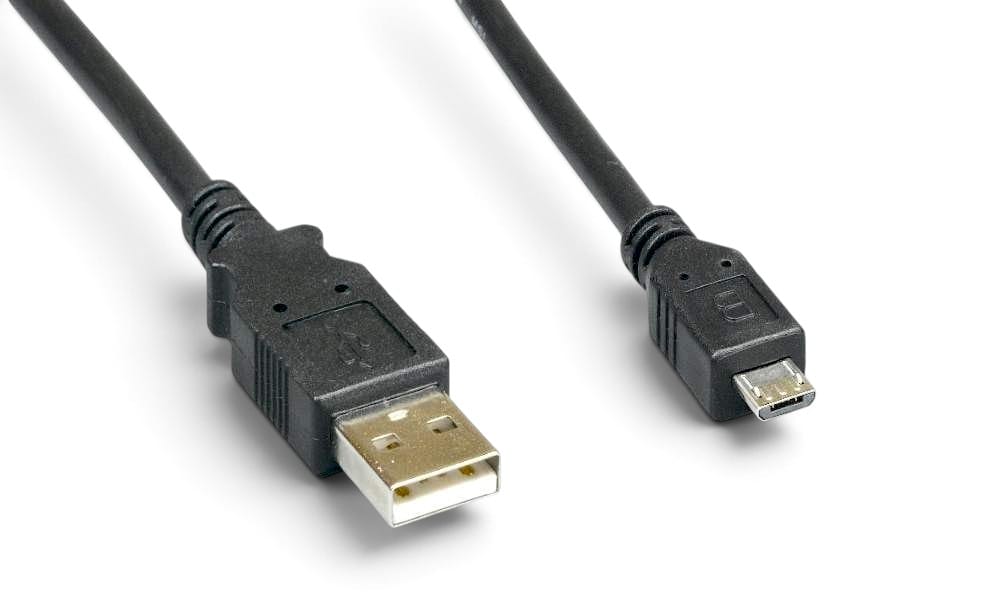
Standard Micro-B has a small, flat connector and was commonly paired with USB-A.

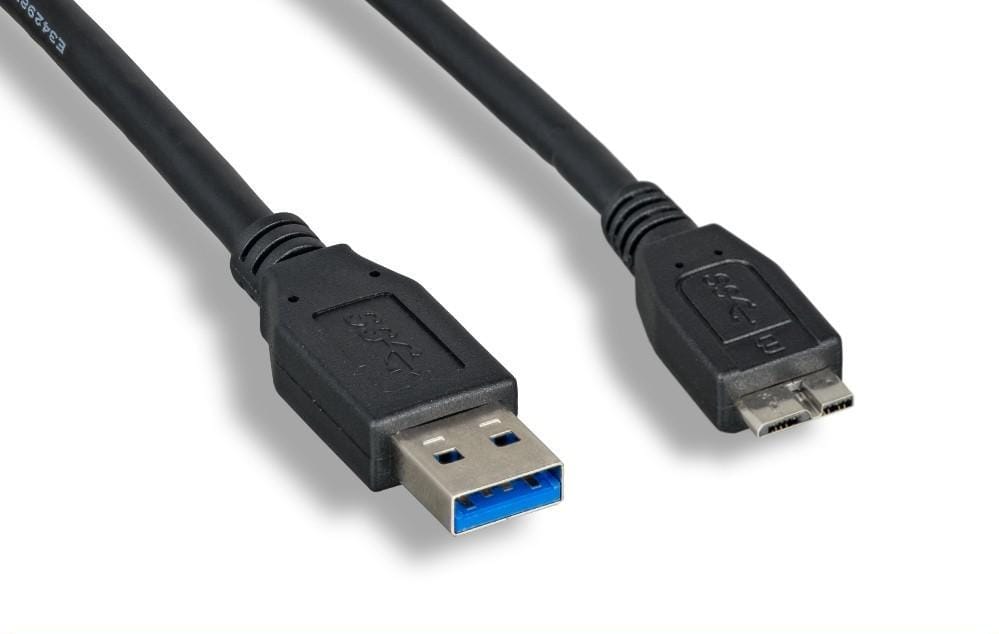
A second version, USB 3.0 Micro-B, uses a noticeably wider connector. It became especially common on external hard drives and cameras such as the Nikon D800 and D800E. PCCables.com carries this USB 3.0 A to Micro-B cable in 1FT, 3FT, 6FT, 10FT, and 15FT lengths.

PCCables.com carries both traditional USB-A to Micro-B cables and higher-speed USB 3.0 Micro-B cables for external drives and other compatible devices.
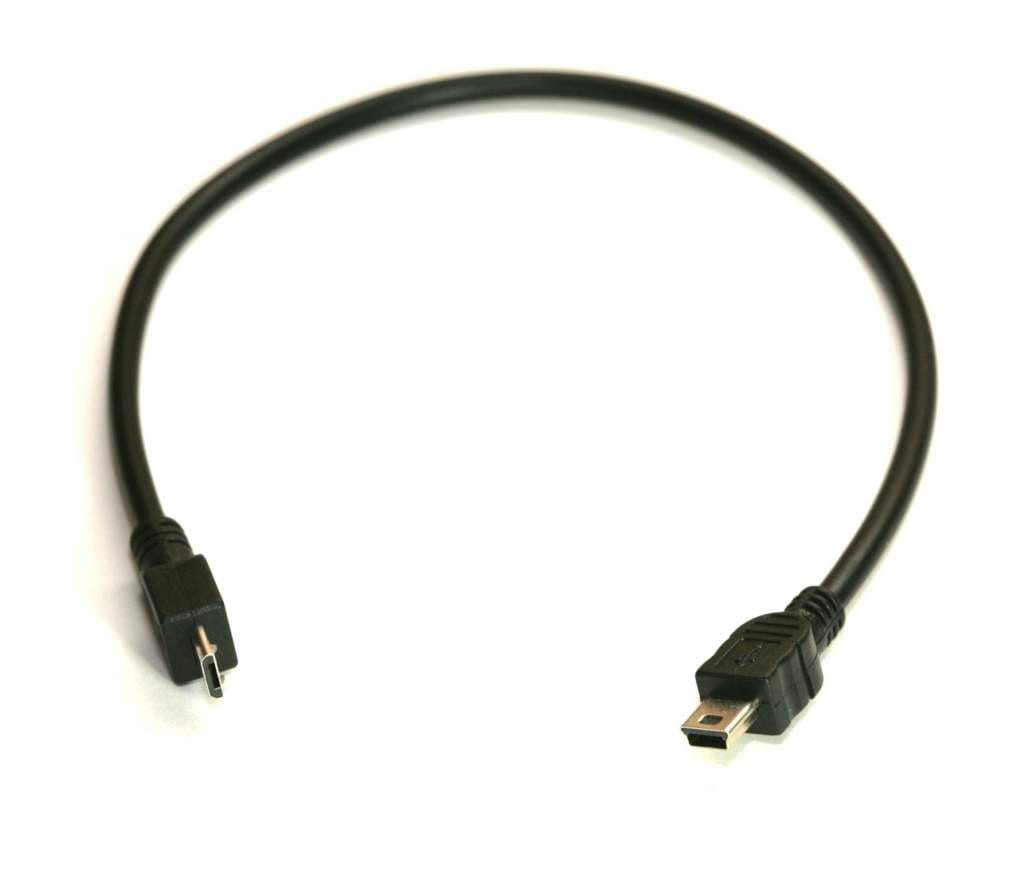
Need to connect Micro-B and Mini-B equipment directly? PCCables.com also carries a Micro-B to Mini-B 5-Pin adapter cable, useful for compatible cameras, GPS devices, portable electronics, test equipment, and other specialty USB connections.
USB Connector Types at a Glance
| Connector | Common Uses | How to Identify It |
|---|---|---|
| USB-A | Computers, chargers, hubs | Flat rectangular connector |
| USB-B | Printers, scanners, audio equipment | Large square-style connector |
| USB-C | Modern PCs, phones, storage, docks | Small oval reversible connector |
| Mini-B | Older cameras, GPS devices, MP3 players | Small trapezoid-style connector |
| Micro-B | Phones, cameras, controllers | Small flat connector |
| USB 3.0 Micro-B | External hard drives | Wide two-part Micro-B connector |
USB Connector Type vs USB Version
The connector tells you what physically fits, whereas the USB version tells you more about what the connection can do.
For example, a device could use a USB-C connector while operating at USB 2.0 speeds, and another USB-C device could support USB 4.0. The connectors may look identical even though their capabilities are very different.
The same principle applies to USB-A. USB-A has been used with USB 2.0, USB 3.0, and other USB implementations, and that's why choosing a cable based only on connector shape can sometimes result in reduced performance.
Find USB Cables at PCCables.com
From modern USB-C connections to cables for equipment that has been in service for decades, USB covers a much wider range of connectors than its name might suggest.
PCCables.com offers USB cables, adapters, and accessories covering USB-A, USB-B, USB-C, Mini-B, Micro-B, USB 2.0, USB 3.0, USB 4.0, and USB extensions.
The easiest way to find the correct cable is to identify both connectors first, then verify the USB speed and power requirements of the equipment.

See more of our blog posts here!


Check out our website for all your cable needs!