
USB 2.0 vs USB 3.0 vs USB4: What’s the Difference?
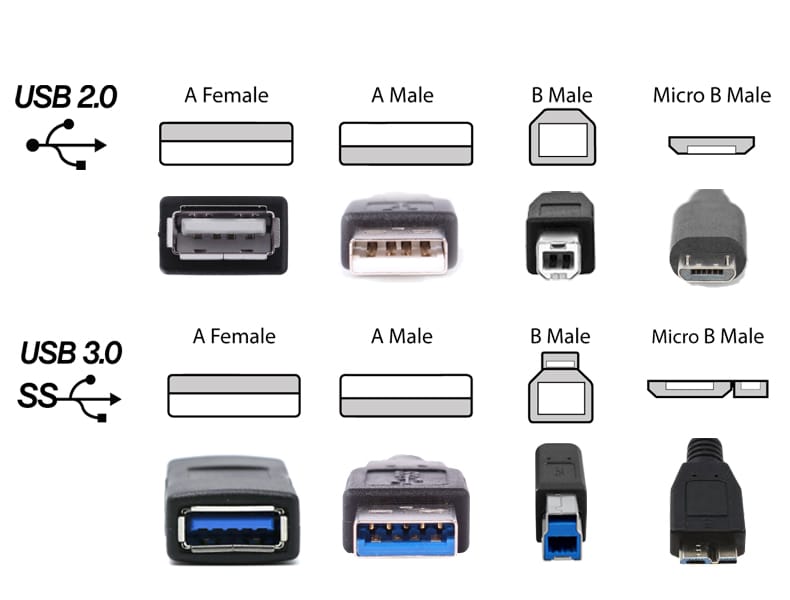
USB has evolved dramatically since it became a standard connection for computers and peripherals. USB 2.0, USB 3.0, and USB4 can all transfer data and connect devices, but they differ significantly in speed, capabilities, and the hardware they are designed to support.
For most users, the important question is not simply which version is newest. A printer or older camera may work perfectly well with USB 2.0, while an external SSD or other high-speed device can benefit substantially from USB 3.0 or USB4.
PCCables.com carries a broad range of USB 2.0 and USB 3.0 cables, extensions, adapters, hubs, panel-mount connections, and specialty USB products, along with a smaller selection of high-speed USB4 cables.
 Hunter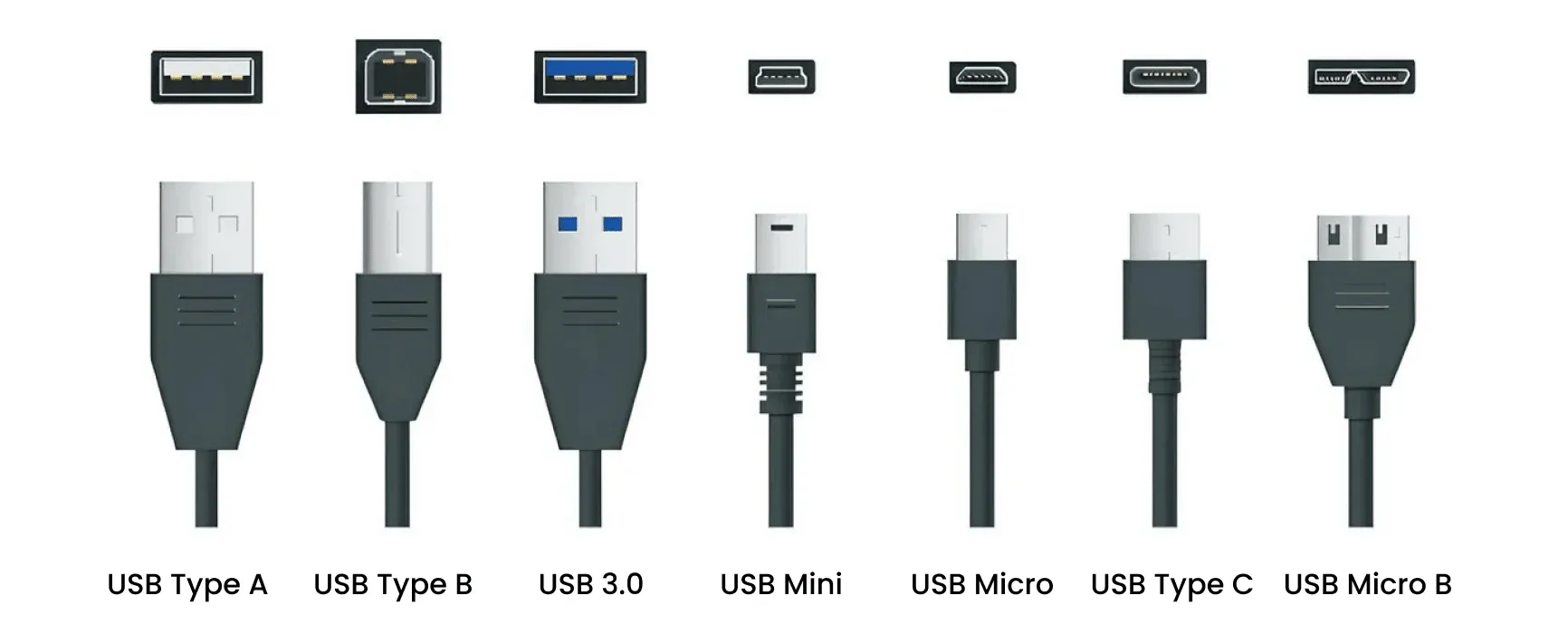
Read more about different USB types here!
USB 2.0: Still Useful for Everyday and Legacy Devices
USB 2.0 supports data rates up to 480 Mbps. Although that is far slower than newer USB standards, it remains more than adequate for devices that do not require large amounts of bandwidth.
Printers, keyboards, mice, serial adapters, cameras, GPS devices, and many other peripherals continue to use USB 2.0. For these applications, moving to a much faster cable often provides little or no practical benefit because the device itself does not transfer data fast enough to take advantage of the additional bandwidth.
USB 2.0 also remains particularly important for legacy equipment. PCCables.com carries a large USB 2.0 selection that includes conventional computer and printer cables, Mini-B and Micro-B cables, active and passive extensions, panel-mount products, motherboard connections, hubs, serial adapters, and replacement cables for older devices.


See our entire USB selection here!
USB 3.0: A Major Increase in Speed
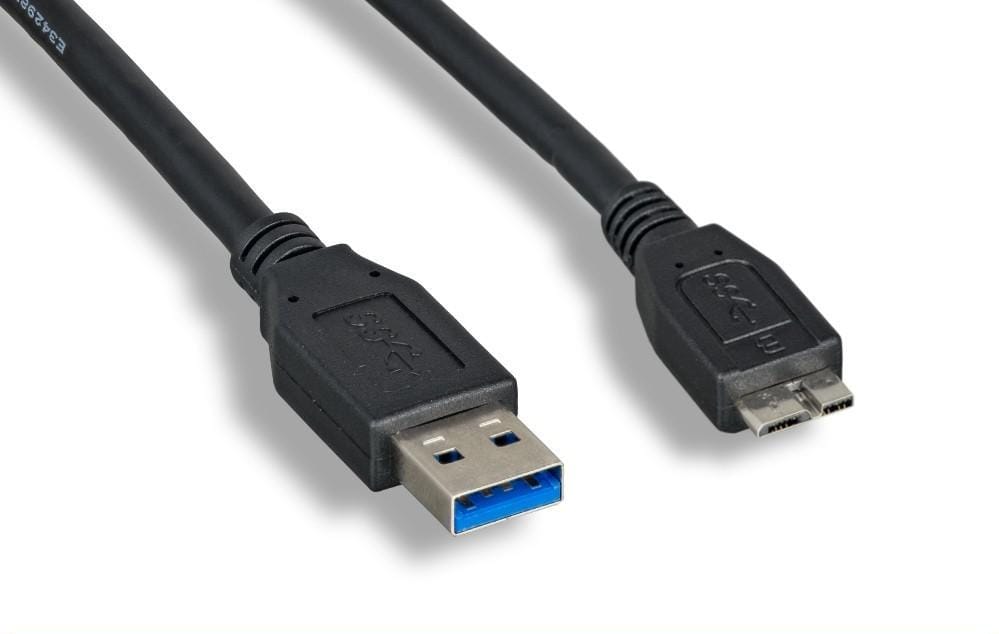
USB 3.0, originally introduced as SuperSpeed USB, increased the maximum signaling rate to 5 Gbps, more than ten times the rate of USB 2.0. (Note Gbps: gigabits per second, not to be confused with GBps: gigabytes per second.)
That added bandwidth made USB considerably better suited to devices such as external hard drives, high-resolution cameras, storage adapters, capture hardware, and other peripherals that transfer large amounts of data.
The terminology has become confusing over the years. Earlier USB 3.x specifications were eventually incorporated into USB 3.2, which now defines 5, 10, and 20 Gbps transfer rates. USB-IF currently recommends consumer-facing names based on speed, such as USB 5Gbps and USB 10Gbps. However, USB 3.0 remains a widely recognized product and search term for 5 Gbps SuperSpeed hardware, and many existing products continue to carry that name.
PCCables.com has a substantially larger USB 3.0 selection than its USB4 line. Current products include SuperSpeed computer cables, Micro-B cables, passive and active extensions, hubs, panel-mount connections, motherboard header cables, adapters, and other specialty hardware.
USB 2.0 vs USB 3.0
For most buyers, the difference comes down to how much bandwidth the connected device actually needs.
| Standard | Maximum Data Rate | Typical Applications |
|---|---|---|
| USB 2.0 | 480 Mbps | Printers, cameras, serial equipment, legacy peripherals |
| USB 3.0 | 5 Gbps | External storage, high-speed peripherals, cameras, hubs |
| USB4 | 20 Gbps and higher | High-performance storage, docks, displays |
A faster USB standard does not automatically make every device faster. Connecting a USB 2.0 printer to a USB 3.0 port, for example, does not turn the printer into a USB 3.0 device.
Newer USB standards are generally designed to maintain backward compatibility, with the connection operating according to the capabilities shared by the devices and cable. USB 3.2 is backward compatible with existing USB products, and USB4 supports compatibility with previous USB generations.
 Hunter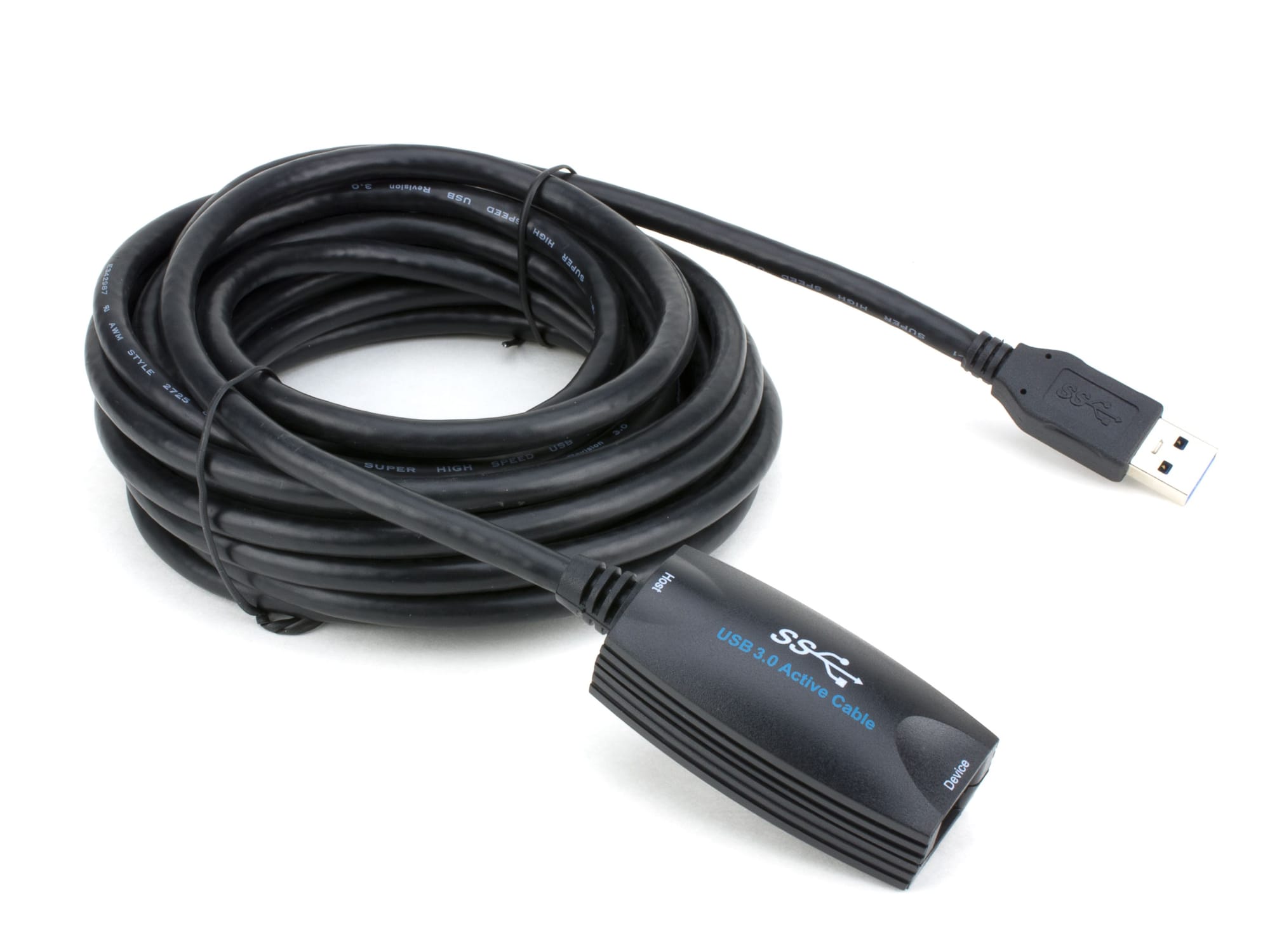
Read about USB Extenders here!
What Is USB4?
USB4 represents a much larger jump in USB capability. It uses the USB-C connector and supports substantially more bandwidth than USB 2.0 or the original USB 3.0 standard.
USB4 currently includes performance levels reaching 20 Gbps, 40 Gbps, and up to 80 Gbps under the latest specification. It can also dynamically share bandwidth between different types of data and display traffic.
For PCCables.com, USB4 is a more specialized product category than USB 2.0 or USB 3.0. The current selection includes USB-C to USB-C cables rated for 20 Gbps and 40 Gbps, with several models also incorporating E-Marker or USB Power Delivery support.
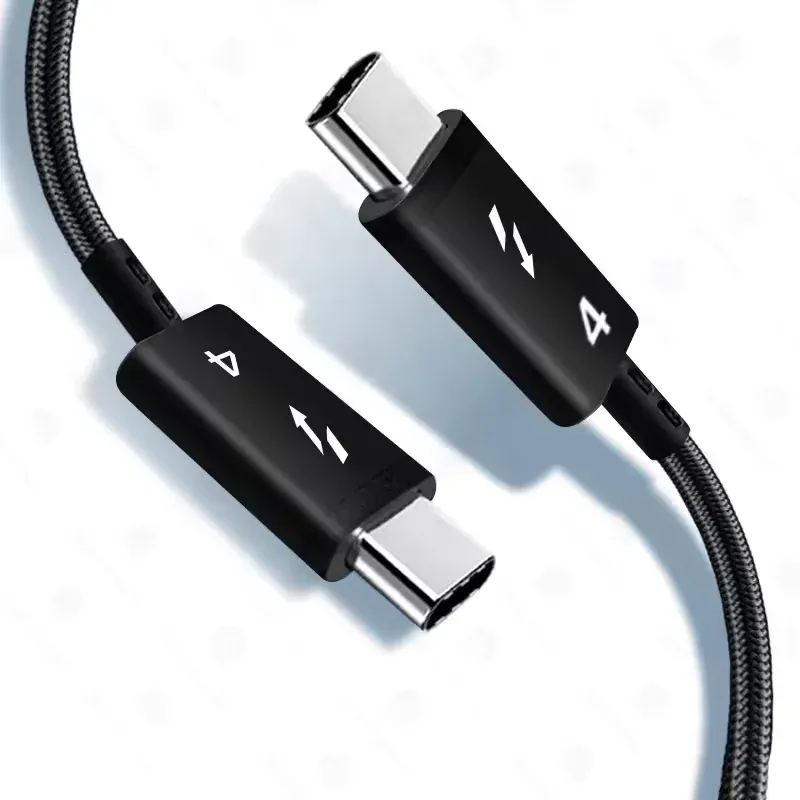
USB4 is most useful when the hardware actually requires its additional bandwidth, such as high-performance storage, docking equipment, displays, or other demanding USB-C peripherals. For an ordinary printer, keyboard, or older peripheral, USB4 provides no meaningful advantage.
USB Version vs. Connector Type
This is one of the most common sources of confusion with USB.
USB 2.0, USB 3.0, and USB4 describe technology and performance while USB-A, USB-B, USB-C, Mini-B, and Micro-B describe the physical connectors.
A USB-C connector therefore does not automatically mean USB4. USB-C hardware can operate at USB 2.0 speeds or support faster USB standards depending on the cable and devices. USB-IF specifically notes that a USB 2.0 Type-C cable cannot carry USB 3.2 or USB4 signals.
For a full explanation of the physical connectors, readers can refer to our USB Cable Types: USB-A, USB-B, USB-C, Mini-B and Micro-B guide.
 Hunter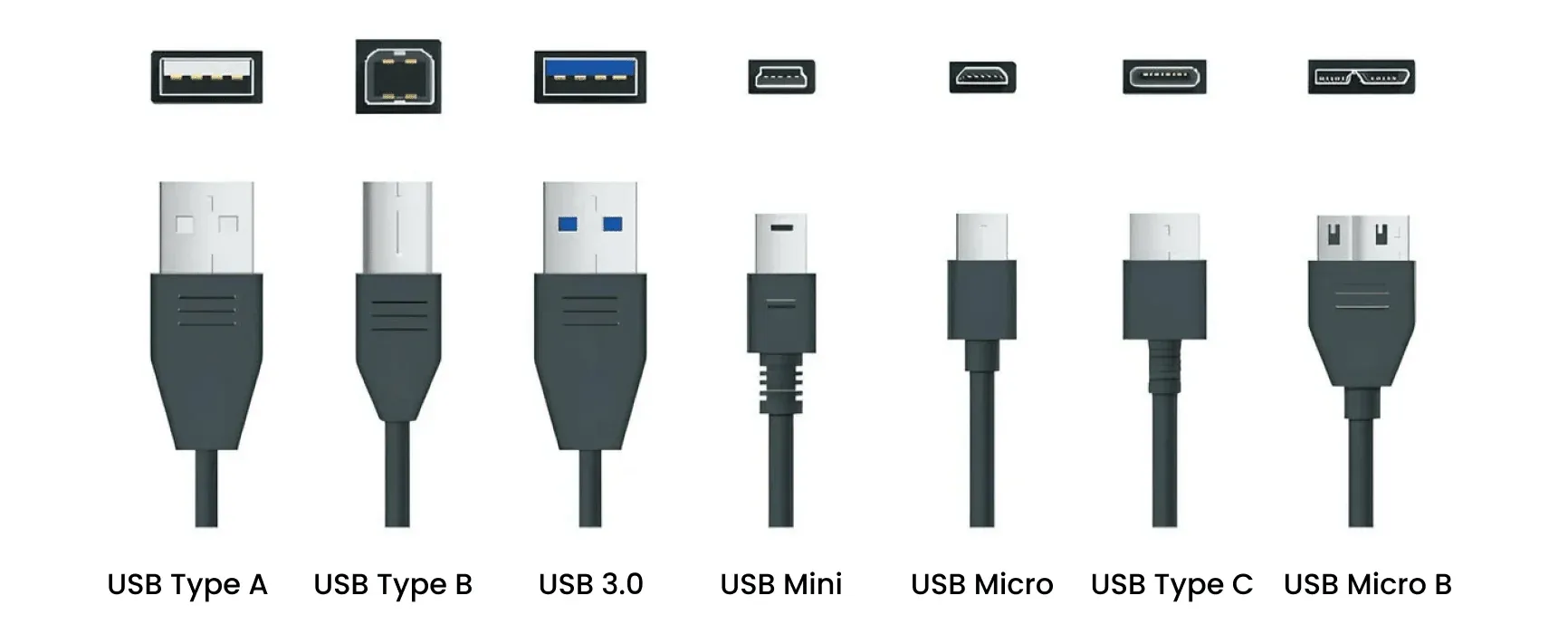
Which USB Version and Charging Capability Do You Need?
Choosing the right USB cable depends on both data speed and power requirements. USB 2.0 is usually sufficient for printers, keyboards, older cameras, serial equipment and other low-bandwidth devices, while USB 3.0 is better suited to external storage and other peripherals that benefit from faster transfers. USB4 is intended for modern high-bandwidth USB-C devices such as docks, displays and high-performance storage.
Charging capability is separate from USB data speed. A faster USB cable does not automatically support more charging power, so USB-C users should check both the data rating and supported power or USB Power Delivery rating.
The best approach is to match the cable to the specifications of the device rather than simply choosing the newest USB version.
Find USB Cables at PCCables.com
USB has changed significantly, but newer standards have not made older ones irrelevant. USB 2.0 remains common throughout legacy and lower-bandwidth equipment, while USB 3.0 provides the speed required by many modern peripherals. USB4 extends USB into even higher-performance applications.
PCCables.com carries a broad selection of USB 2.0 and USB 3.0 cables and accessories, along with select USB4 high-speed cables, making it possible to match the USB standard to the equipment instead of simply choosing the newest version.

See more of our blog posts here!


Check out our website for all your cable needs!